The League of Amazing Programmers
-
Course Calendar Redesign

Roles: Web Developer

Name

Overview

The course calendar is a core element in converting new users into customers, as parents must determine which class to sign their child up for based on the schedule.


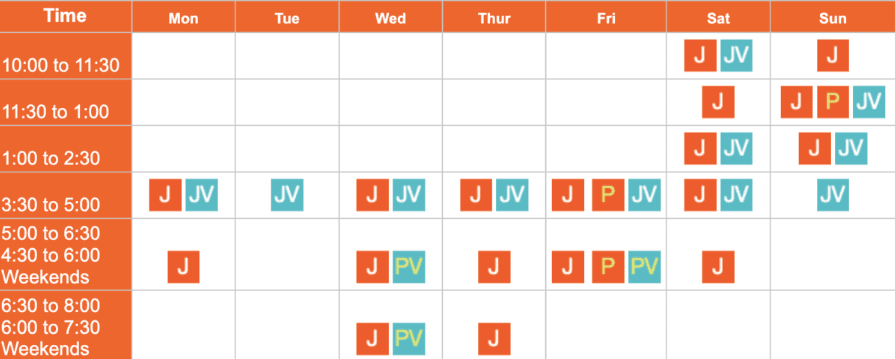
According to our user research, new users are frustrated with how confusing and unclear the calendar is on the website. Furthermore, the registration management software (Pike.13)’s class calendar only allows users to view one class type at a time, making it difficult for those exploring potential schedule/class options to compare.


The calendar on the website is also manually created and edited, making it inefficient for the organization leaders to update schedules. Our stakeholder expressed that while not necessary, it would be ideal to have a calendar plug-in that could pull data from the course schedule automatically.
Name

Research

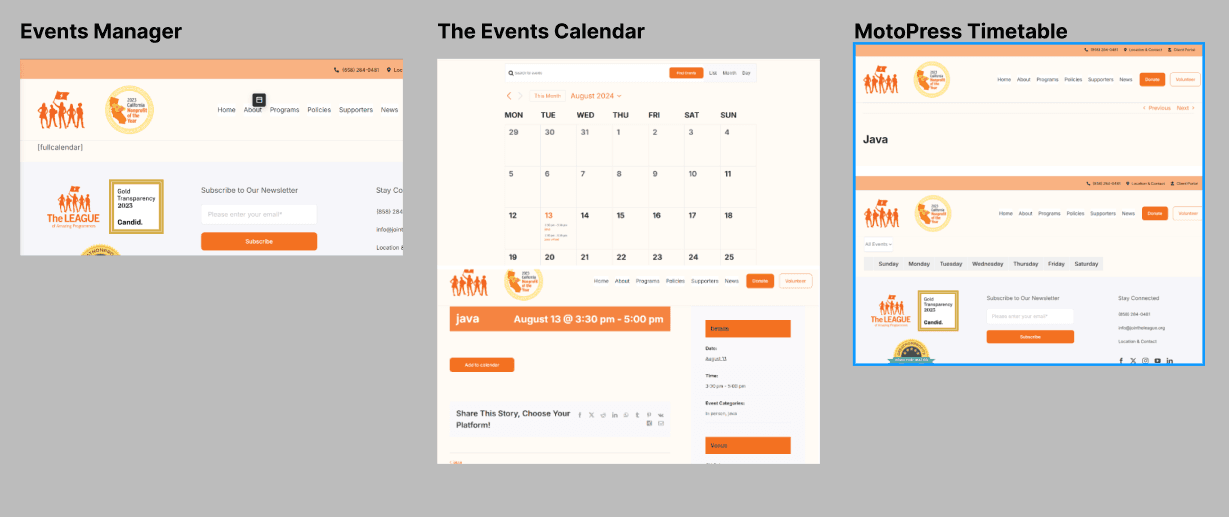
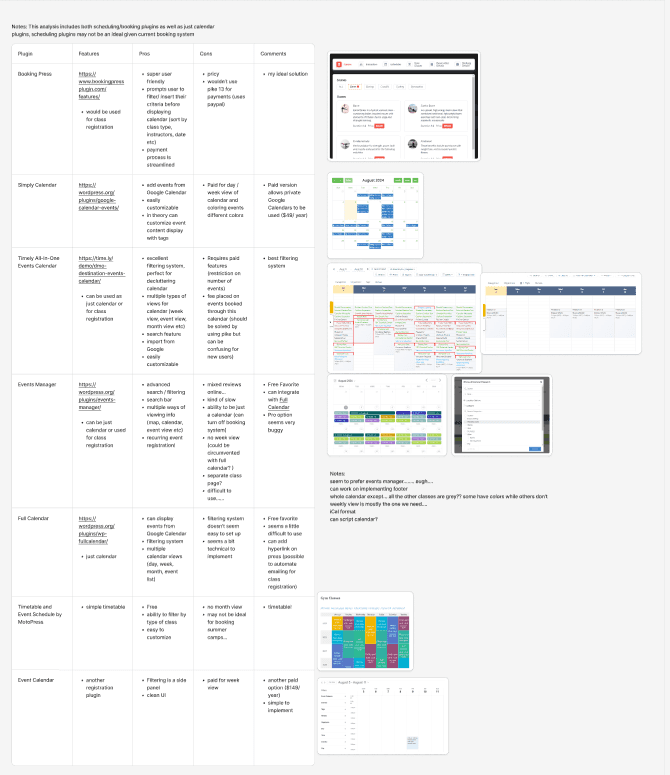
Initially, I thought that a calendar WordPress plugin would fit the LEAGUE’s needs the best. I compared potential plugins based on features, pricing, and pros/cons. Based on the competitive analysis, I tested the most promising plugins. However, I found that they were either incompatible with the LEAGUE’s WordPress setup, or couldn’t be customized to the designers’ vision.


This prompted me to build a calendar plugin using Javascript from scratch.
Name
Name

First Iteration

Name

Technical Decisions

How to Get Calendar Class Event Information

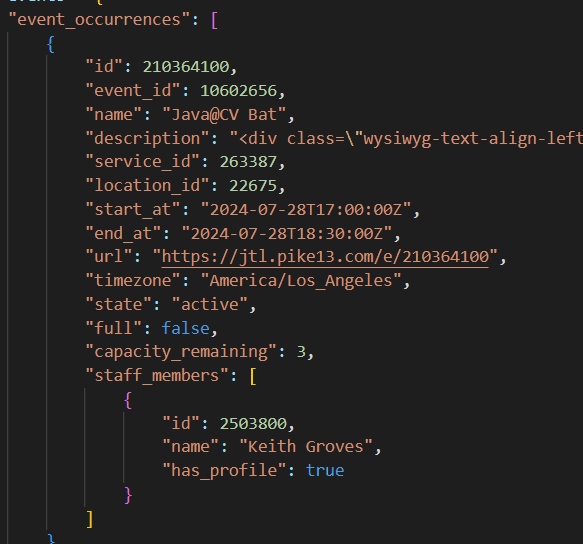
- Options: create plugin, download the files and use them vs access Pike 13 API directly vs feeding from a Google Calendar/ iCal format - Creating a plugin that downloads the file w/ event info from MongoDB and loads up the calendar from the backend takes a lot of development effort, isn’t quite useful because at the end of the day there would need to be a server call (to MongoDB) and adds unnecessary development complexity - Instead, just make a server call to pike 13 directly! The only drawback is that loading time would take a little longer (however this is only by around ½ a second which is reasonable), No need to use MongoDb or Google Calendar because calling them is complex and they have around the same amount of load time as the direct call

How to Get Calendar Class Event Information

- Options: create plugin, download the files and use them vs access Pike 13 API directly vs feeding from a Google Calendar/ iCal format - Creating a plugin that downloads the file w/ event info from MongoDB and loads up the calendar from the backend takes a lot of development effort, isn’t quite useful because at the end of the day there would need to be a server call (to MongoDB) and adds unnecessary development complexity - Instead, just make a server call to pike 13 directly! The only drawback is that loading time would take a little longer (however this is only by around ½ a second which is reasonable), No need to use MongoDb or Google Calendar because calling them is complex and they have around the same amount of load time as the direct call

How to Get Calendar Class Event Information

- Options: create plugin, download the files and use them vs access Pike 13 API directly vs feeding from a Google Calendar/ iCal format - Creating a plugin that downloads the file w/ event info from MongoDB and loads up the calendar from the backend takes a lot of development effort, isn’t quite useful because at the end of the day there would need to be a server call (to MongoDB) and adds unnecessary development complexity - Instead, just make a server call to pike 13 directly! The only drawback is that loading time would take a little longer (however this is only by around ½ a second which is reasonable), No need to use MongoDb or Google Calendar because calling them is complex and they have around the same amount of load time as the direct call

Plugin vs Code block

- Options: PHP based plugin that generates Javascript, HTML, CSS short code to put into website vs put code into code block (lives and operates in browser) by Avada (CMS that League uses) - PHP plugin takes too much development effort and there is no strongly compelling benefits to making it. Also, plugins don’t always work (see previous section). - Therefore, code calendar using Javascript, HTML, CSS and paste into Wordpress website directly!

Plugin vs Code block

- Options: PHP based plugin that generates Javascript, HTML, CSS short code to put into website vs put code into code block (lives and operates in browser) by Avada (CMS that League uses) - PHP plugin takes too much development effort and there is no strongly compelling benefits to making it. Also, plugins don’t always work (see previous section). - Therefore, code calendar using Javascript, HTML, CSS and paste into Wordpress website directly!

Plugin vs Code block

- Options: PHP based plugin that generates Javascript, HTML, CSS short code to put into website vs put code into code block (lives and operates in browser) by Avada (CMS that League uses) - PHP plugin takes too much development effort and there is no strongly compelling benefits to making it. Also, plugins don’t always work (see previous section). - Therefore, code calendar using Javascript, HTML, CSS and paste into Wordpress website directly!

Type of views available to user

- Options: month, week, day, specific day in month, singular class calendar, full class calendar display - Define views for users for simplicity and to get rid of complexity-> month, week, day, full class calendar

Type of views available to user

- Options: month, week, day, specific day in month, singular class calendar, full class calendar display - Define views for users for simplicity and to get rid of complexity-> month, week, day, full class calendar

Type of views available to user

- Options: month, week, day, specific day in month, singular class calendar, full class calendar display - Define views for users for simplicity and to get rid of complexity-> month, week, day, full class calendar

Filter

Needed to incorporate filter to make calendar usable through getting rid of visual clutter

Filter

Needed to incorporate filter to make calendar usable through getting rid of visual clutter

Filter

Needed to incorporate filter to make calendar usable through getting rid of visual clutter

Mentor & Stakeholder Feedback

Our mentor told us that despite having the filters, the calendar still looks very overwhelming. Specifically, the events with overlapping times are especially hard to understand and read due to them being condensed and truncated into the space. She recommended that we explore non-calendar formats, which may be more helpful.


The stakeholder told us to prioritize the weekly view over the monthly view. In his experience with parents, the day of the week is more important to know than the specific dates classes are on when booking a class.

Final Iteration

Going into the second iteration, I realized that the calendar format was incompatible with making the real data readable and useful. I decided to design the course calendar based on formats that is more suitable for the real data.

Name

Technical Changes

Defining information architecture
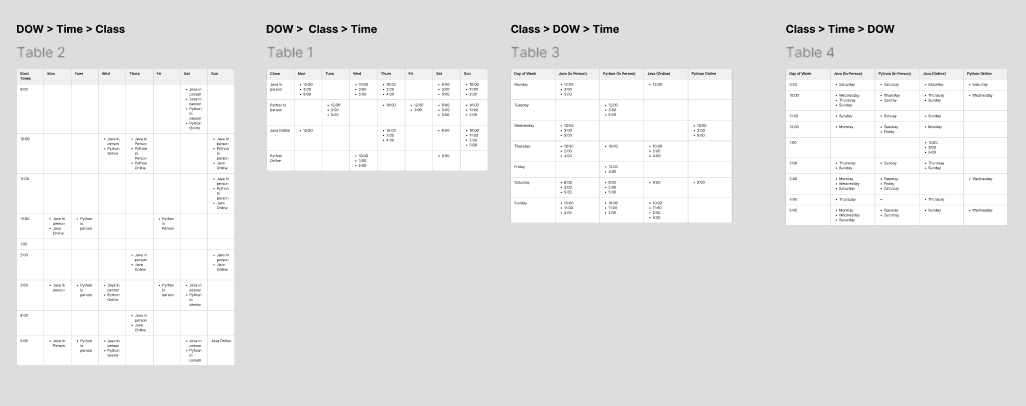
- Information architecture is the order of priority for the information we want to display - Options: Class > Day of Week (DOW) > Time, Class > Time > DOW, DOW > Class > time, DOW > Time > Class - The previous information architecture was Day of Week > Time > Class, so I decided to move away from this structure. Out of the structures mentioned, we liked DOW > Class > Time the best as it takes up the least amount of vertical space on the page, making it less visually overwhelming

Defining information architecture

- Information architecture is the order of priority for the information we want to display - Options: Class > Day of Week (DOW) > Time, Class > Time > DOW, DOW > Class > time, DOW > Time > Class - The previous information architecture was Day of Week > Time > Class, so I decided to move away from this structure. Out of the structures mentioned, we liked DOW > Class > Time the best as it takes up the least amount of vertical space on the page, making it less visually overwhelming

Defining information architecture

- Information architecture is the order of priority for the information we want to display - Options: Class > Day of Week (DOW) > Time, Class > Time > DOW, DOW > Class > time, DOW > Time > Class - The previous information architecture was Day of Week > Time > Class, so I decided to move away from this structure. Out of the structures mentioned, we liked DOW > Class > Time the best as it takes up the least amount of vertical space on the page, making it less visually overwhelming

View of the calendar & adding back user interactivity

- Based on our stakeholder’s feedback, we decided to only have a weekly view. Additionally, to reduce the visual clutter on the screen but retain useful information for end users, I opted for a popover that shows up on click, containing the information mentioned in the next bullet point

View of the calendar & adding back user interactivity

- Based on our stakeholder’s feedback, we decided to only have a weekly view. Additionally, to reduce the visual clutter on the screen but retain useful information for end users, I opted for a popover that shows up on click, containing the information mentioned in the next bullet point

View of the calendar & adding back user interactivity

- Based on our stakeholder’s feedback, we decided to only have a weekly view. Additionally, to reduce the visual clutter on the screen but retain useful information for end users, I opted for a popover that shows up on click, containing the information mentioned in the next bullet point

Choosing information to be displayed

- Pike 13 provides the following info: course name, start time, end time, date of occurrence, course description, location, timezone, instructor, etc - Out of these, the ones we decided to display were course name, date of occurrence, start time and end time

Choosing information to be displayed

- Pike 13 provides the following info: course name, start time, end time, date of occurrence, course description, location, timezone, instructor, etc - Out of these, the ones we decided to display were course name, date of occurrence, start time and end time

Choosing information to be displayed

- Pike 13 provides the following info: course name, start time, end time, date of occurrence, course description, location, timezone, instructor, etc - Out of these, the ones we decided to display were course name, date of occurrence, start time and end time

Duration vs End time

- We had to choose between displaying the Duration (1.5 hours) vs the End time (eg, 3:00 - 4:30 PM) - We decided to go with end time because people tend not to be good with mental calculations while skimming through a lot of information

Duration vs End time

- We had to choose between displaying the Duration (1.5 hours) vs the End time (eg, 3:00 - 4:30 PM) - We decided to go with end time because people tend not to be good with mental calculations while skimming through a lot of information

Duration vs End time

- We had to choose between displaying the Duration (1.5 hours) vs the End time (eg, 3:00 - 4:30 PM) - We decided to go with end time because people tend not to be good with mental calculations while skimming through a lot of information

Next Steps

  • Conduct usability testing with parents and stakeholders to validate the redesign, focusing on clarity and user experience.

  • Refine the calendar based on testing feedback to address any usability issues.

  • Implement analytics to track user interactions, identifying areas for further refinement and monitor performance


  • Conduct usability testing with parents and stakeholders to validate the redesign, focusing on clarity and user experience.

  • Refine the calendar based on testing feedback to address any usability issues.

  • Implement analytics to track user interactions, identifying areas for further refinement and monitor performance

Create a free website with Framer, the website builder loved by startups, designers and agencies.