Streamlining Product Idea Evaluation for Product Managers
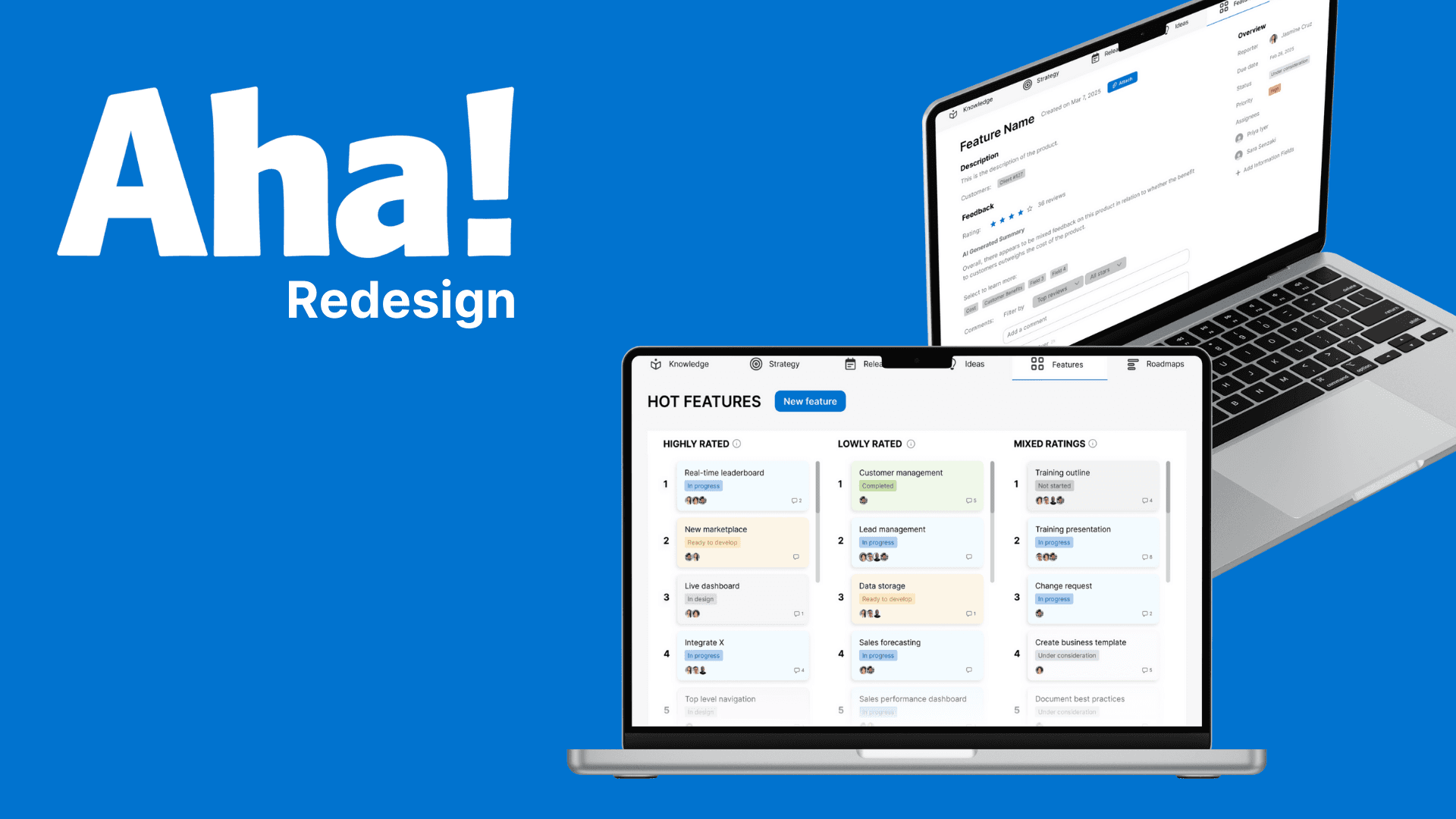
Creating a collaborative prioritization system for Aha! that aligns teams and accelerates decision-making
Overview
Product Managers at a Global Fortune 500 utility enterprise were facing a critical challenge: how to efficiently evaluate hundreds of potential product ideas for their $100M revenue products using their $10M+ R&D budget. Despite using Aha!, a popular product management tool with over 1 million users worldwide, these Directors of Product Management struggled specifically with the ideation phase. Through in-depth interviews, we identified two key problems in their workflow: (1) individually evaluating product ideas efficiently, and (2) collaboratively comparing evaluations across multiple PMs to reach consensus.
Initial user testing with low-fidelity prototypes revealed that the heart of the issue wasn't just individual idea evaluation—it was the labor-intensive process of synthesizing each PM's unique perspective into the prioritization discussion. This insight shifted our design focus toward improving collaborative evaluation. Our solution extended Aha!'s functionality with a streamlined rating and prioritization system specifically designed for group evaluation scenarios, significantly reducing the time required for collaborative decision-making while improving alignment across product teams.
Problem Statement
Product managers must work together to prioritize which ideas go to R&D. This requires the organization, evaluation, and prioritization of hundreds of feature ideas, but the current tools overwhelm them with rigid, text-heavy interfaces and confusing, program-specific terminology. They are forced to spend excessive time navigating information instead of making strategic decisions, hindering their ability to streamline workflows, collaborate effectively, and focus on the right ideas to work on.
Problem Space Discovery - Modern Software Worse Than 40+ Year Old Spreadsheet App?!
User Research
We conducted our initial interviews with product managers MH and SN. We used contextual inquiry, a qualitative method that involves observing users in their environment and in-depth questioning, to understand how our stakeholders use Aha within their work. From this, we learned about the nature of the first problem— how personal evaluation is tough because of rigid chronological list view and visually indistinguishable text heavy interfaces, full of program specific jargon.
Key Findings
Within Aha!, product managers have to keep track of various products/features and evaluate various product/feature ideas to determine the most effective solutions using Aha!.
There are three main issues with Aha: it is visually overwhelming while viewing and creating a feature portfolio, has limited options to view and edit features, and uses confusing terminology used throughout the program.
Both PM's noted that it is overwhelming to navigate and work with a feature profile and manage hundreds of them in bulk. There is an abundance of visually indistinguishable grey information fields— many of which are not used and remain unpopulated.
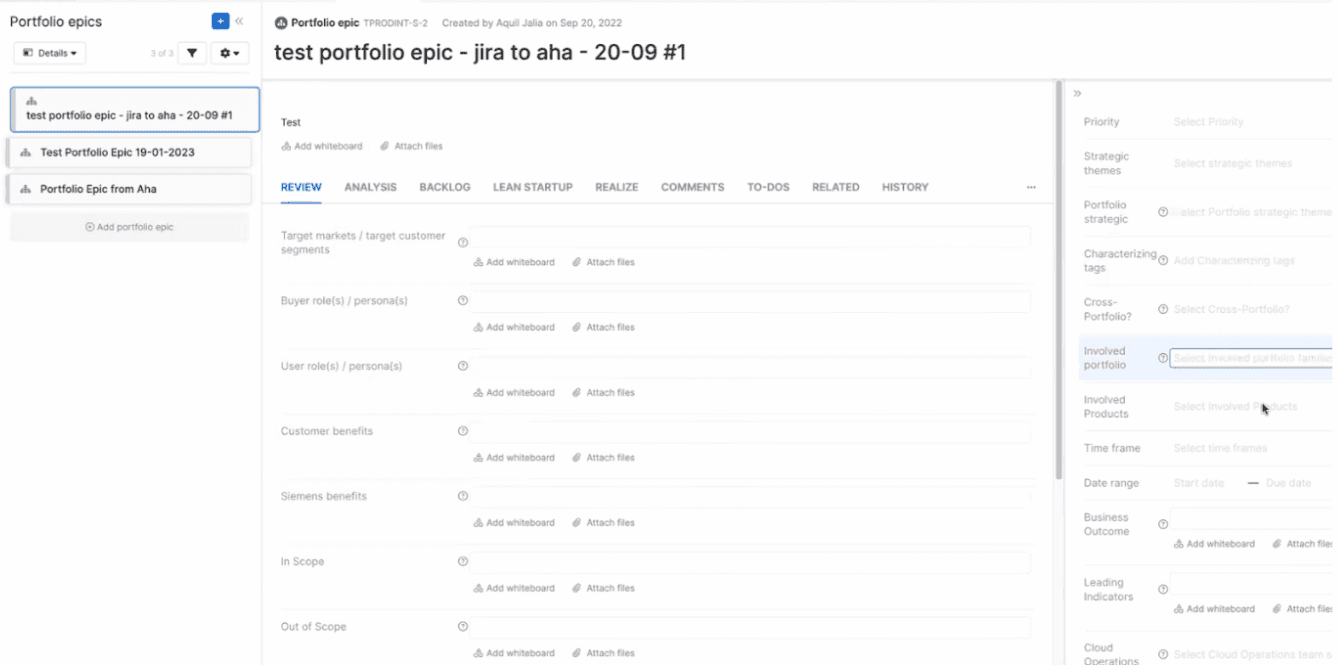
An example of a feature profile, filled with indistinguishable text fields
A key responsibility for one of our stakeholders is to compare and evaluate various feature ideas to determine which to release. For this, he needs to compare feature ideas based on various criteria, such as specific fields they occupy (ex. “Customer Benefits”). Additionally, while evaluating ideas, he needs the ability to compare specific features side by side and dynamically edit them as new thoughts arise. However, Aha lacks this level of flexibility in viewing features and editing— retaining a rigid chronological list view. For both PMs, this system is frustrating enough that they both resort to using Excel instead.
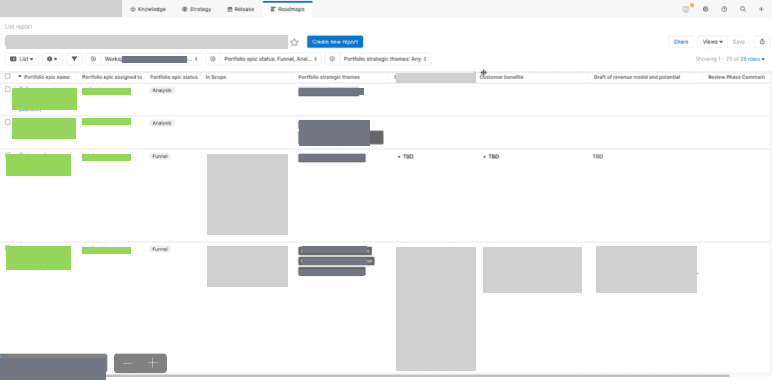
The list view of features our stakeholder uses that retains a rigid chronological structure, information censored per our stakeholder's request
Aha! contains a lot of program-specific vocabulary that doesn't map to common terms PM use, which is exacerbated by tutorials that assume users are already familiar with all the program specific vocabulary. This steep learning curve creates ripples at an organization level— as our stakeholder's entire team doesn’t really understand the terminology used, much less how to use Aha!.
Competitive Analysis
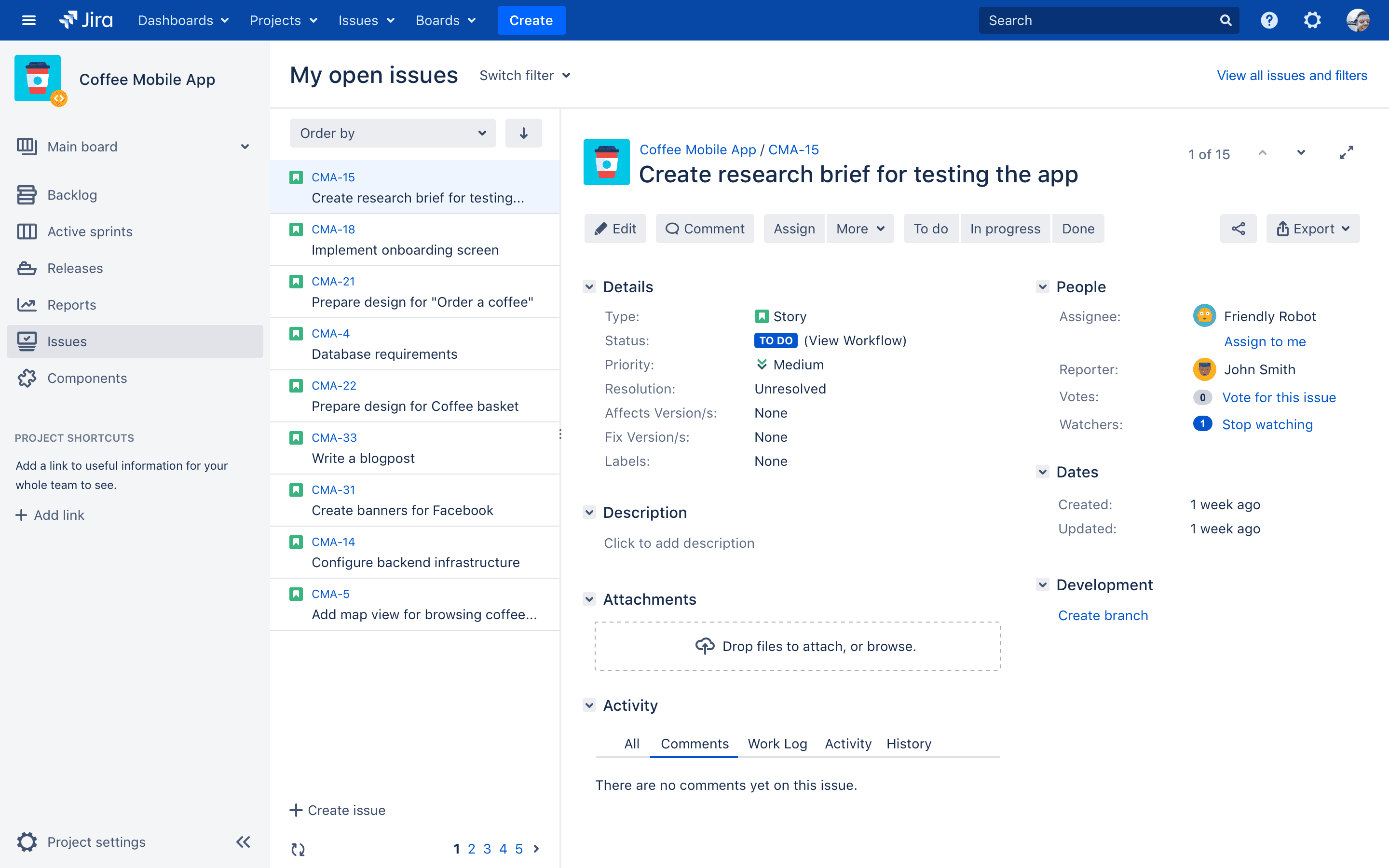
We decided to do more research on Aha!’s competitors to survey the field and see what we could learn from other solutions, including Jira and Excel, which are our stakeholders’ current workaround.
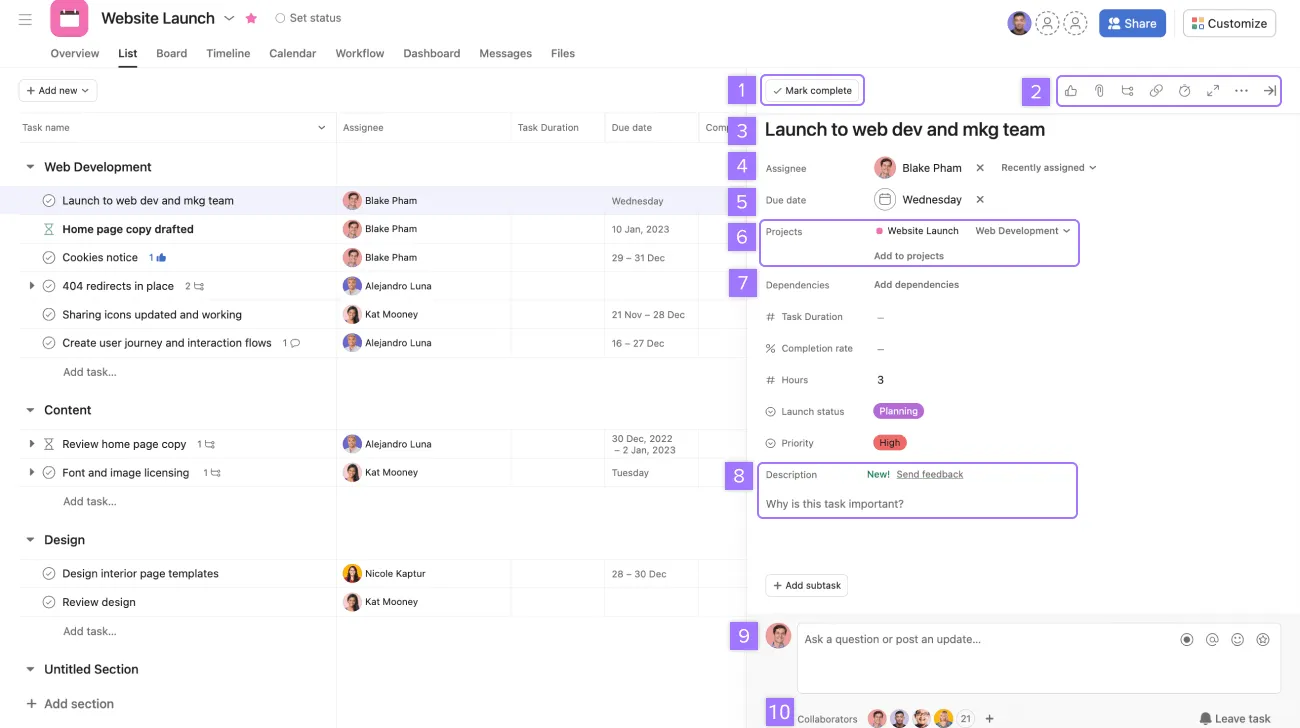
Asana
Jira
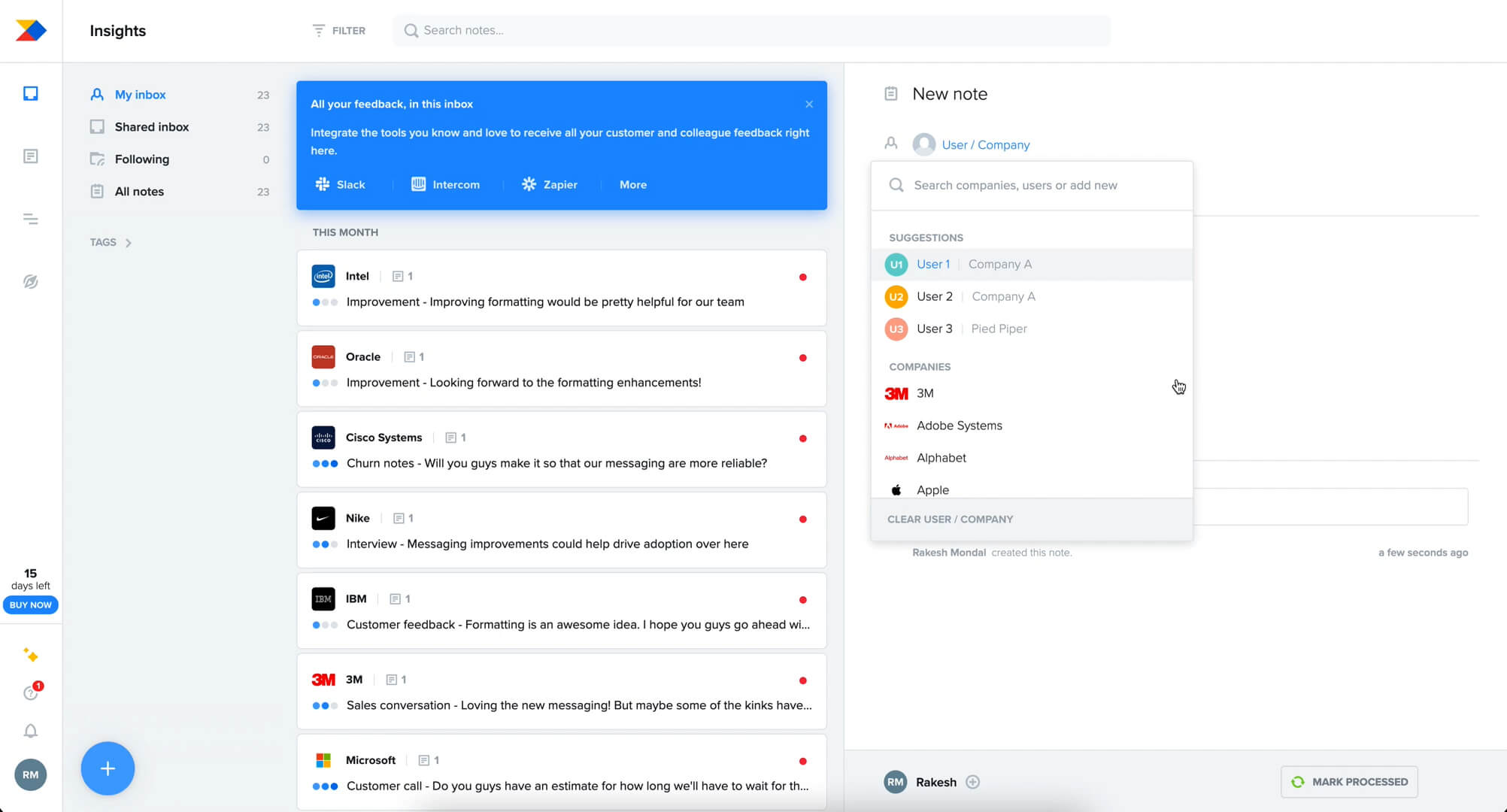
ProductBoard
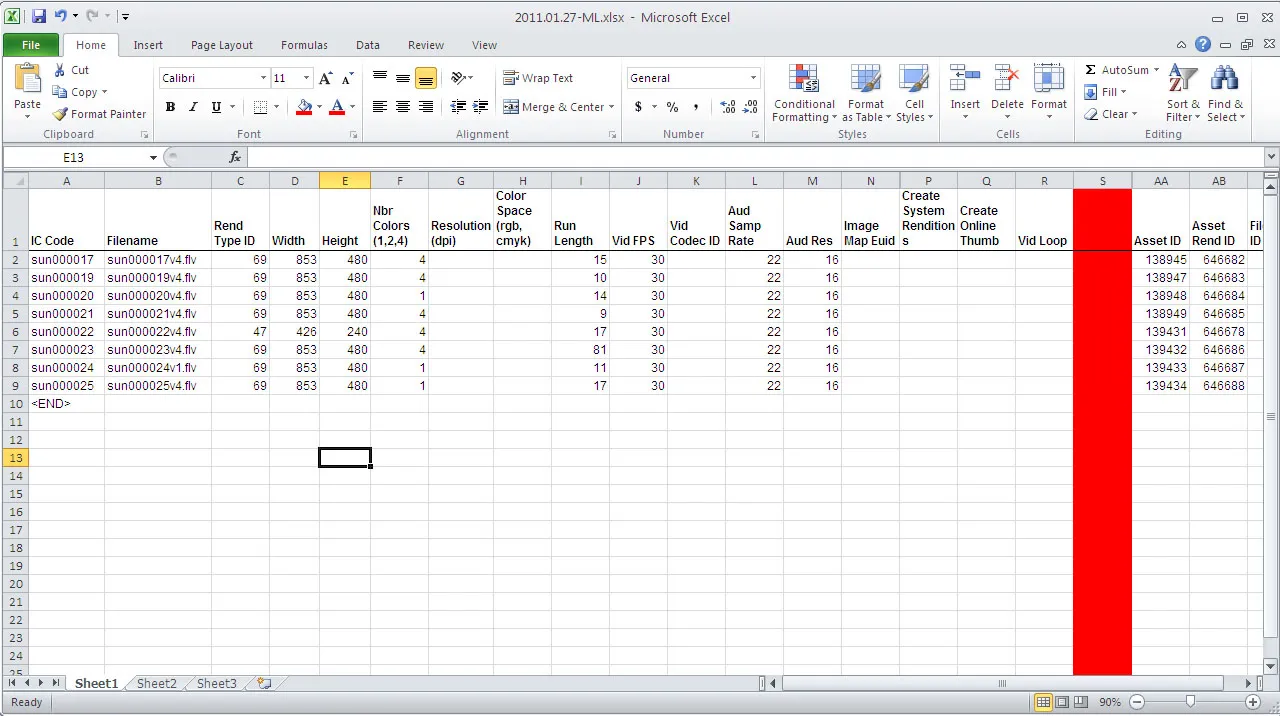
Excel
Asana
Asana is “a leader in collaborative project management software for teams, no matter their size or local distribution. Asana helps you, your teams, and your stakeholders collaborate faster and smoother to achieve business objectives.” (Asana). It works as a general project management system to help teams better organize and collaborate on a specific project—meaning that it is flexible and can work for a wide range of teams (e.g. business, project management, marketers, and etc.). Strengths -Intuitive UI -Versatile for all teams in various departments - Strong task management - Great for non-technical users - Wide integration with other tools (over 200) Weaknesses - Can get costly for larger teams with advanced feature needs - May have a learning curve for advanced capabilities - Lacks some specialized features for product development What can we learn from Asana? One of the most important things we can learn from Asana is streamlining the user interface and minimizing excessive features. Aha! has a very convoluted interface, with an excessive amount of features that can get overwhelming for users. Aiming to create a more flexible and simple user interface in our redesign can make Aha! appear more intuitive.
Jira
Jira is another project management and issue-tracking tool that is more targeted towards software development teams— in efficiently tracking, managing, and releasing software. It also offers deep integration with dev tools like DevOps. Unlike Asana and Aha!, Jira focuses more on Agile methods and tools (e.g. Kanban and Scrum). Strengths - Powerful for Agile & DevOps teams - Highly customizable workflows - Deep integration with development tools - Robust mobile app for on-the-go project management Weaknesses - Steep learning curve - Overkill for simple task management (very complex and overwhelming amount of options) - Limited strategic planning features compared to Aha! What can we learn from Jira? Similar to Aha!, Jira also faces issues with overwhelming complexity in the user interface and a steep-learning curve. Understanding what confuses and overwhelms users on Jira’s interface can serve as UI points/features that we should aim to avoid in our redesign. Although our team does not have the ability to do so for our redesign, enhancing third-party integrations with more tools/software is also an aspect that could improve Aha!’s competitiveness with other competitors. While Aha! only has around 65 integrations, Jira has over 2,000 through their Atlassian Marketplace—which is a significant difference.
ProductBoard
ProductBoard is a product management software that allows teams to effectively collaborate on real-time roadmaps to better understand customers’ needs. Using customer insights as its driving force, ProductBoard enables teams to prioritize features and initiatives aligned with their objectives. Strengths - Simple, intuitive UI - Customizable roadmaps w/ templates - In-depth customer prioritization (features enabling insight review & customer feedback) Weaknesses - Steep learning curve - Pricy – may be expensive for small teams (to get full benefits, must pay $59 per month) - Limited real-time collaboration (changes are not instant)
Microsoft Excel
Excel is a spreadsheet editor that is used widely in a variety of fields. It has many features, including calculation/computation, graphing tools, pivot tables, lookup tools, and data analysis tools. Product managers may use Excel in their work (instead of or in addition to other more specific product management softwares). Strengths -very flexible - easy to display a lot of data and manipulate it in a lot of ways - lookup features - easy to manipulate large amounts of data - widespread usage, more people are used to it and there are a lot of tutorials available Weaknesses - not made specifically for product management - has lots of other features that may be unnecessary - no built in features for roadmapping specifically What can we learn from Excel? One stakeholder remarked that “Excel tools should be the standard.” This highlights how ubiquitously Excel is used, and how many users are most familiar/comfortable with Excel’s tools. Excel allows users the flexibility to do a variety of tasks, including data filtering, analysis, and planning. From this, we can understand the importance of including a high level of customization in product management tools.
Among the competitors, many don’t have a high degree of customizability without trading off simplicity (as seen with Aha! and Jira). Excel however, maintains a high degree of customization and while retaining simplicity. In our redesign, we wanted to add this level of customization, while also maintaining simplicity and collaboration.
Design Exploration - Reducing Complexity and Cognitive Load
We explored a variety of ways to improve evaluating feature/product ideas within Aha! Including improving the rigid list view of feature ideas, reducing the visual clutter brought on by feature creation, and eliminating jargon. We identified two main contexts where the pain points were most prevalent: feature creation and feature evaluation within the list view.
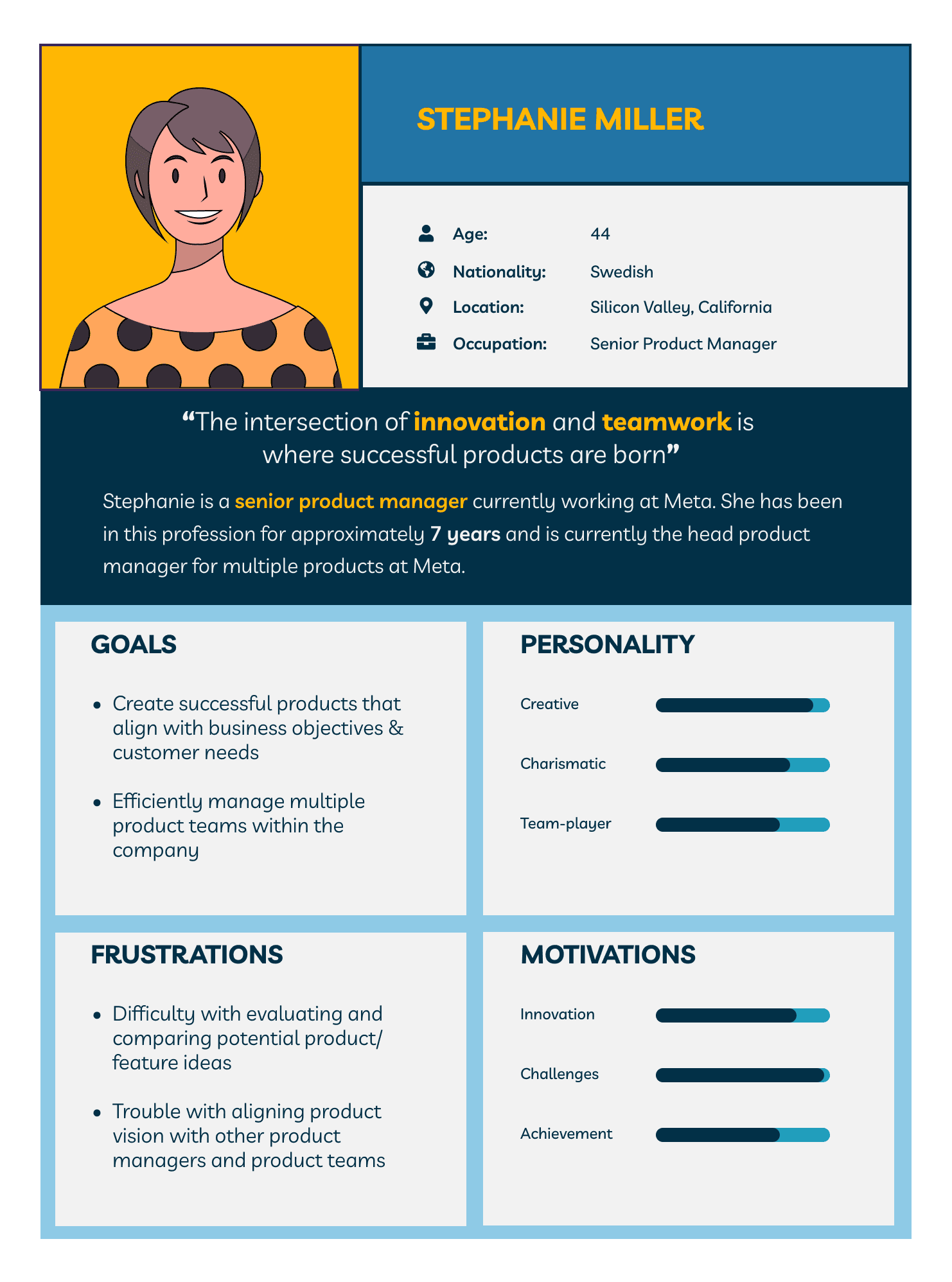
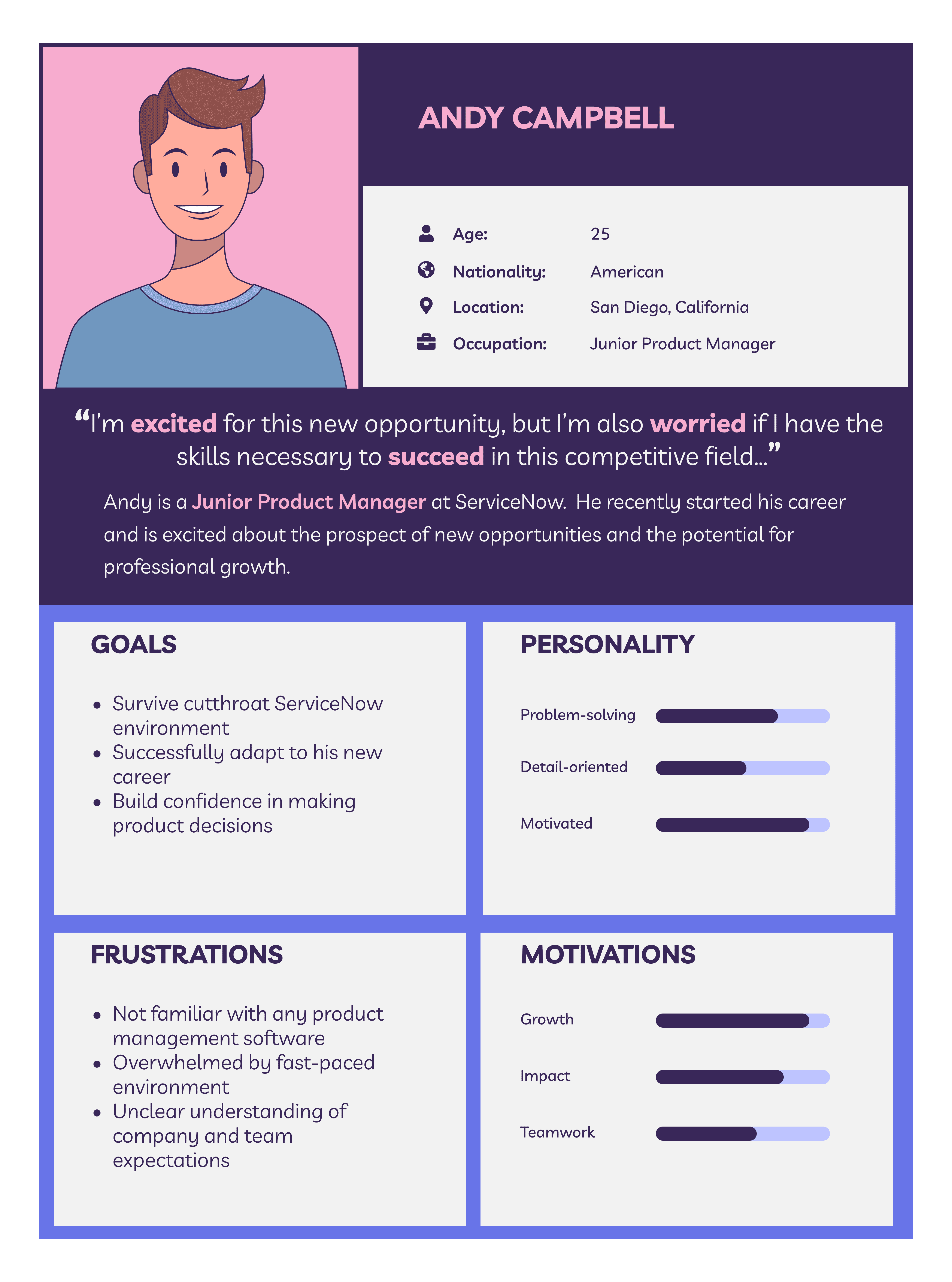
Personas
Based on our interviews, we created two personas, representing product managers across various levels of experience to specify what problems/goals we should design for.
UI Sketches
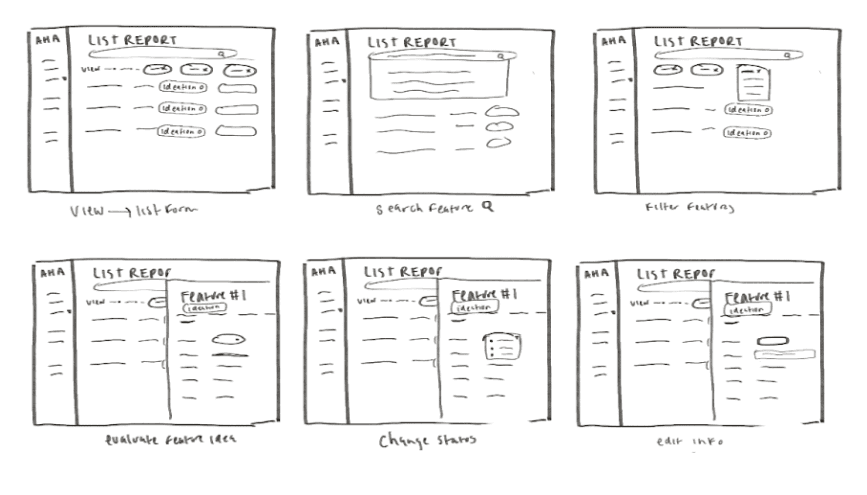
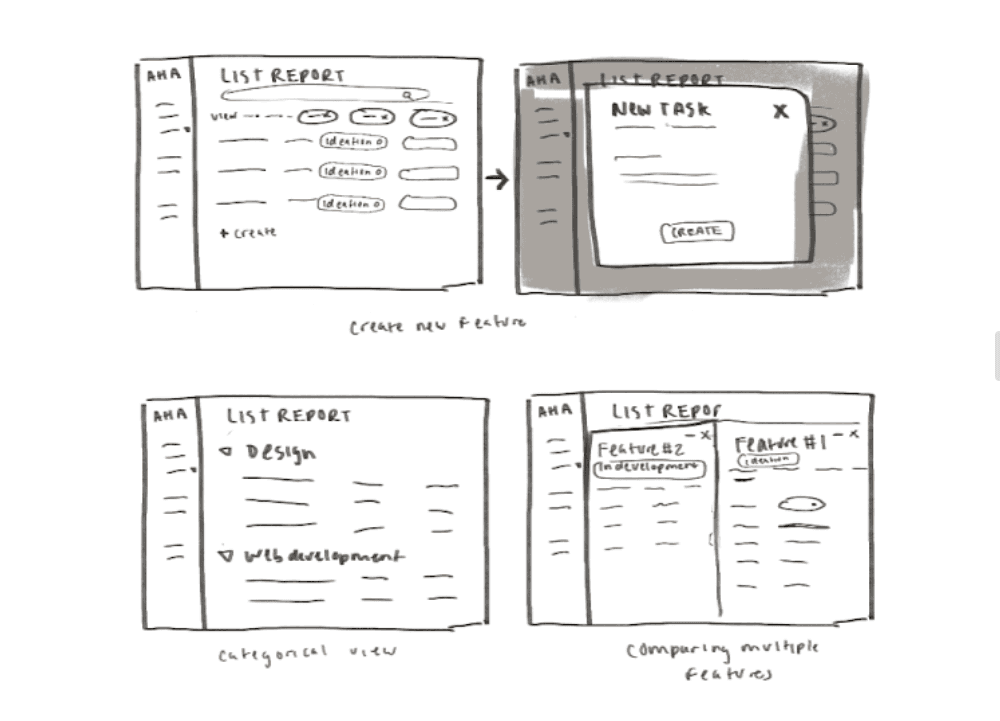
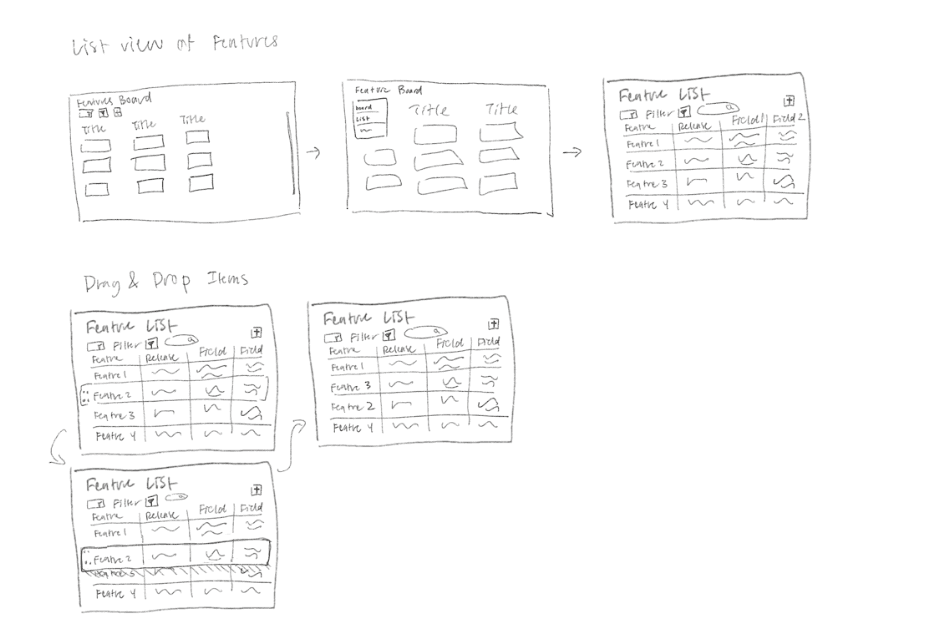
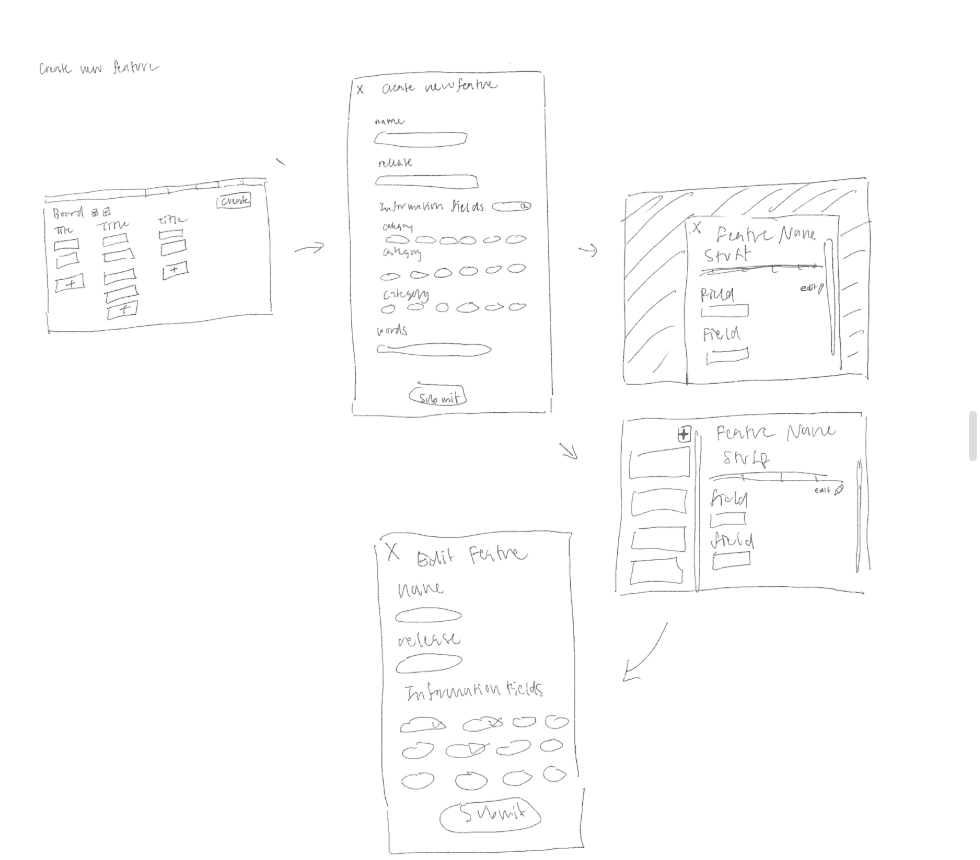
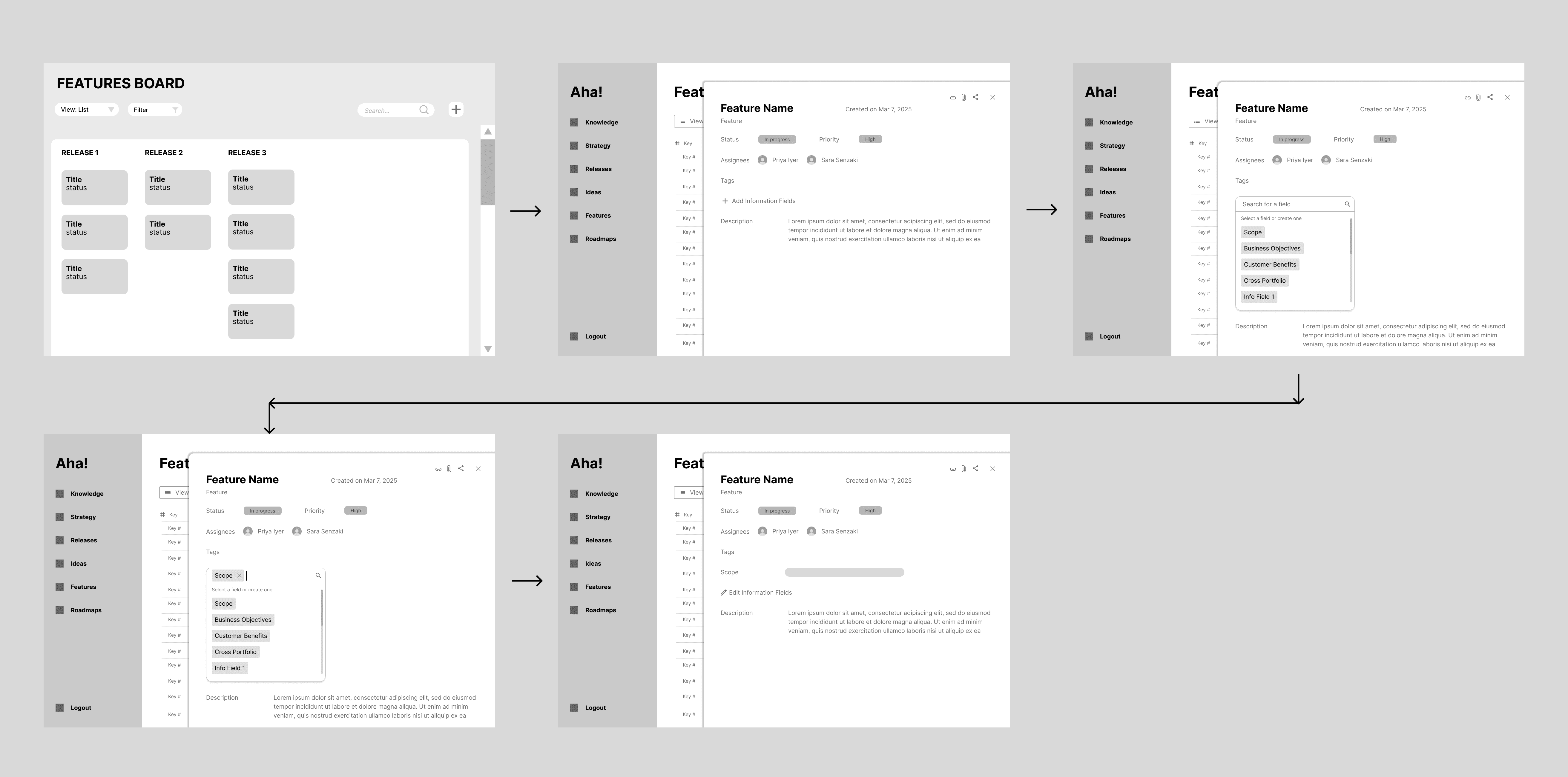
We experimented with user defined list of fields instead of a preset list of fields, simultaneously reducing visual overload and organizing information in their own way. We also experimented with various layouts and interactions for the list view.
Low-fi Prototypes
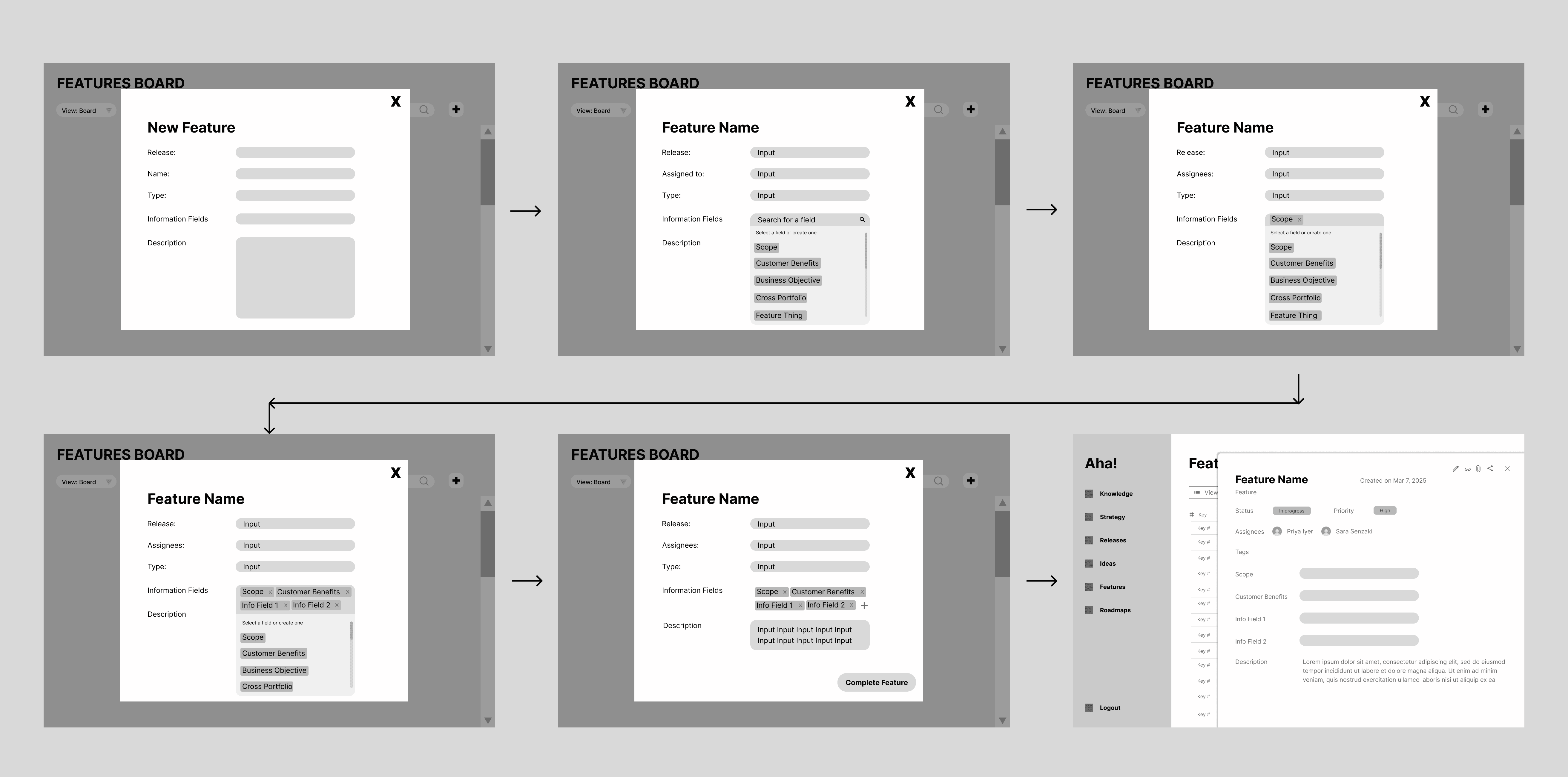
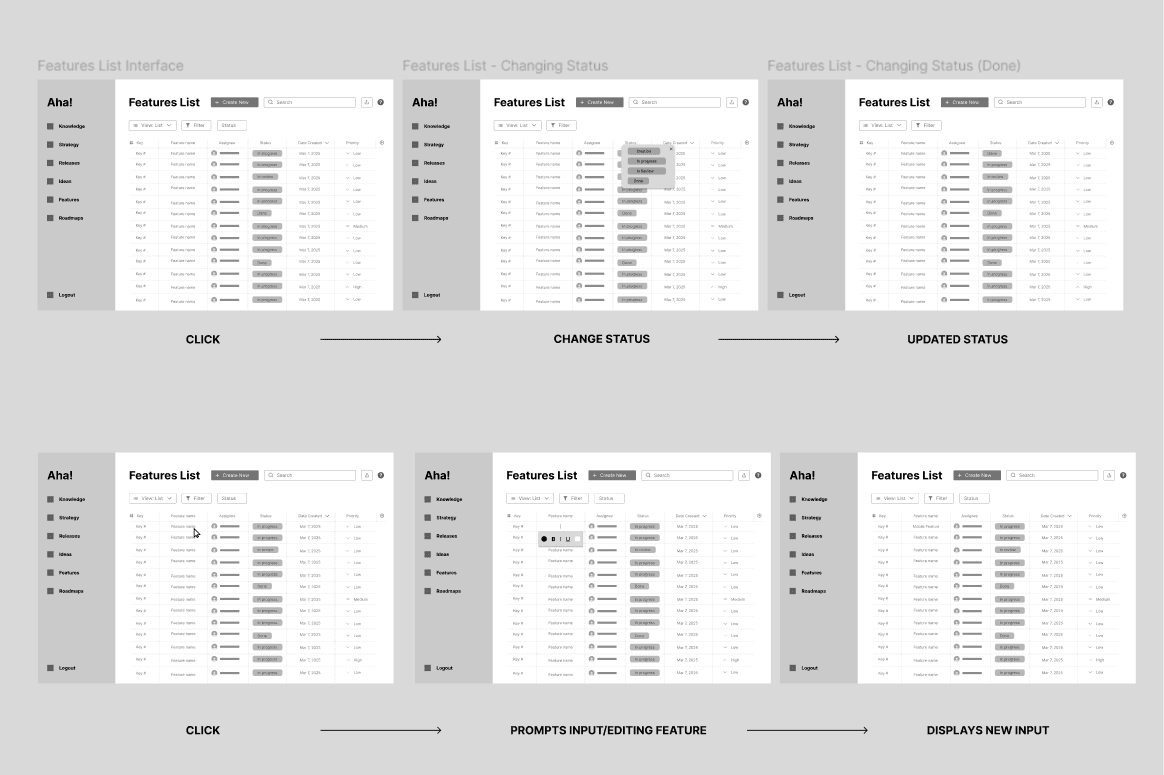
In our first low-fidelity screens, we focused on managing features for users who want to browse through, update, or create a feature. We included a new feature creation pop-up that allows users to manually create a feature within a single screen. In Aha’s original design, users had to create a feature first and then click on it to manually edit, thus reducing efficiency. Our redesign streamlines this process by reducing any unnecessary clicking.
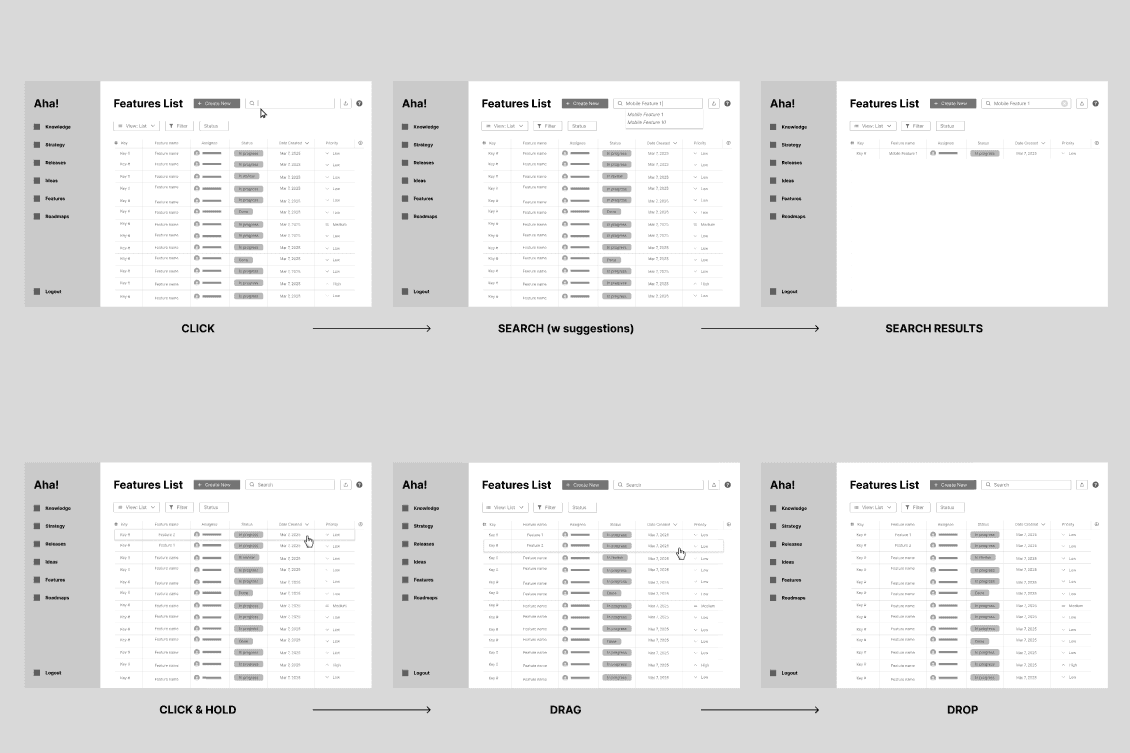
With our second low-fidelity screens, we focused on user personalization. Key features include: moving entries through dragging, editing ideas in line, and powerful search features for users to customize their view of the list.
Evaluation Process
User Testing Round 1: Are We Redesigning the Wheel?
We conducted user testing on our stakeholders, using A/B testing to identify which design and layout resonates best with users based on real interactions. Although both stakeholders found our wireframe solutions to be intuitive, it did not resonate because it didn’t seem to be solving the right problem. Here are our key insights:
Regarding feature creation: For feature creation, we prepared two different flows: one where users had a new screen to create a feature, and one where users edited features in a list view. Both stakeholders mildly preferred the list view.
Regarding organizing your view in the List view: PM MH explained the problem using the analogy of sorting cards. He compared the filtering feature to a card game, where a deck of cards represents the features. With the ability to sort the deck by suits or numbers, the stakeholder reported that this method does not align with his work style. Rather than focusing on the numbers in the cards, the suits are more meaningful and align with the initiative they are advocating for. For instance, PM 1 may just present the top 15 ideas they think are best. Whereas PM 2 may put ideas into ad hoc categories/themes (ex cloud ideation, engagement, etc).Thus, making a one size fits all filtering mechanism feel forced. This analogy shifted our perspective away from focusing on individual fields. Our design was too rigid and didn’t account for the many possible ways a user may want to display their data, to PM MH, it was no better than using Excel. Moving forward with our reiterations, we needed to create a design that provides users with a flexible way to organize their data for easily presenting it to others.
PM SN also understood most of the organizational/filtering features easily; however, they didn’t necessarily solve the root problem with organizing the view. He also commented that the list view was still too rigid when it came to comparing numerous features in the ideation phase. This reaffirms the second stakeholder’s comment, emphasizing our need to potentially pivot our design solution in regards to this specific aspect of organization and flexibility.
PM MH also introduced a new aspect of how feature evaluation is currently inefficient. Using another thought experiment, he asked “How do you decide which 10/60 jeans to buy amongst a bunch of people” as a way to describe his user goal. He needed something to help identify the strongest ideas across all of the PMs perspectives.
During this round of user testing, we found that our lowfis solved some of the issues with Aha!’s interface, however they didn’t address the most pressing issues product managers face during the evaluation of feature ideas. This includes dynamically grouping features, making feature ideas easily visible (at a large scale), and streamlining the process of viewing other PM’s opinions. We needed to reiterate our design, to focus on flexible grouping and systems that support feedback/commenting from multiple users to address these issues.
Iteration
We came up with two sets of screens to create a more effective solution that better visualized and organized their data, as well as integrate collaborative systems—to allow for more effective communication between coworkers.
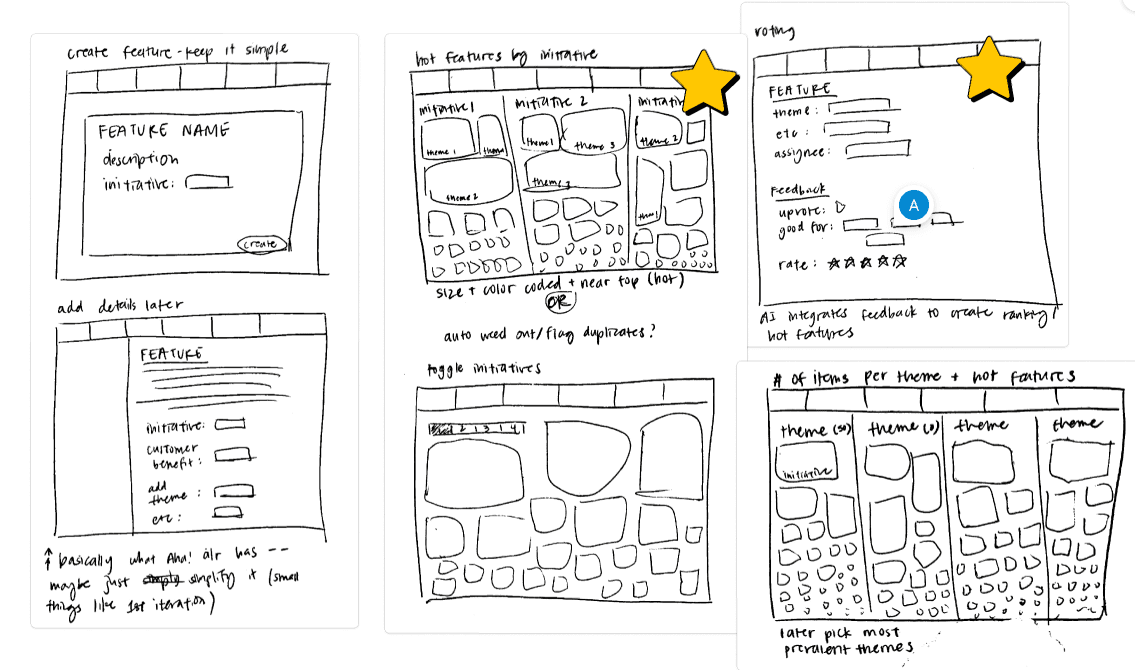
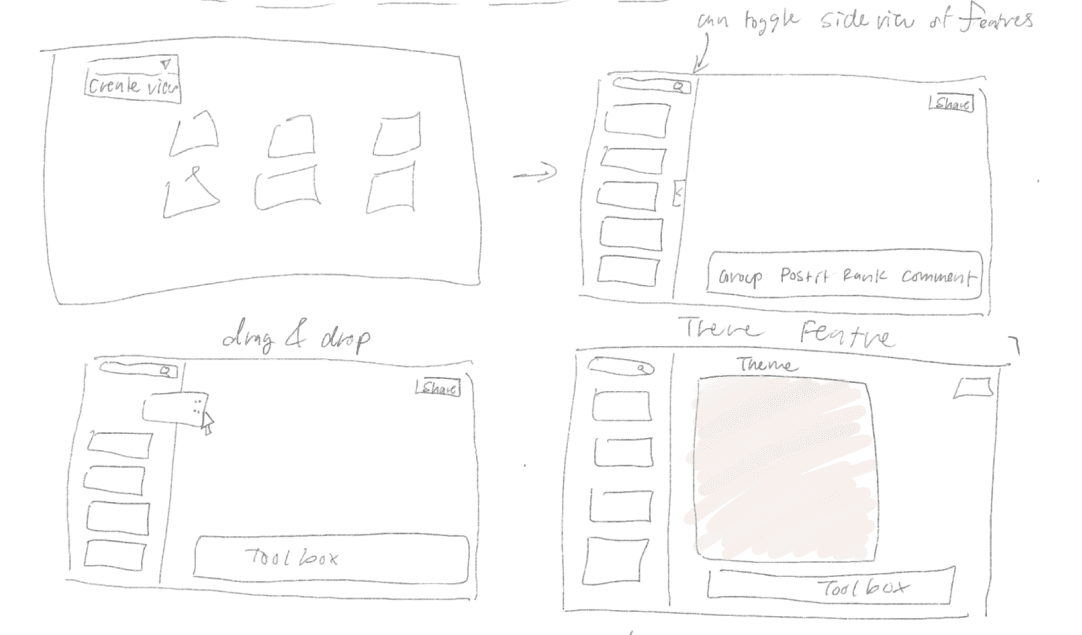
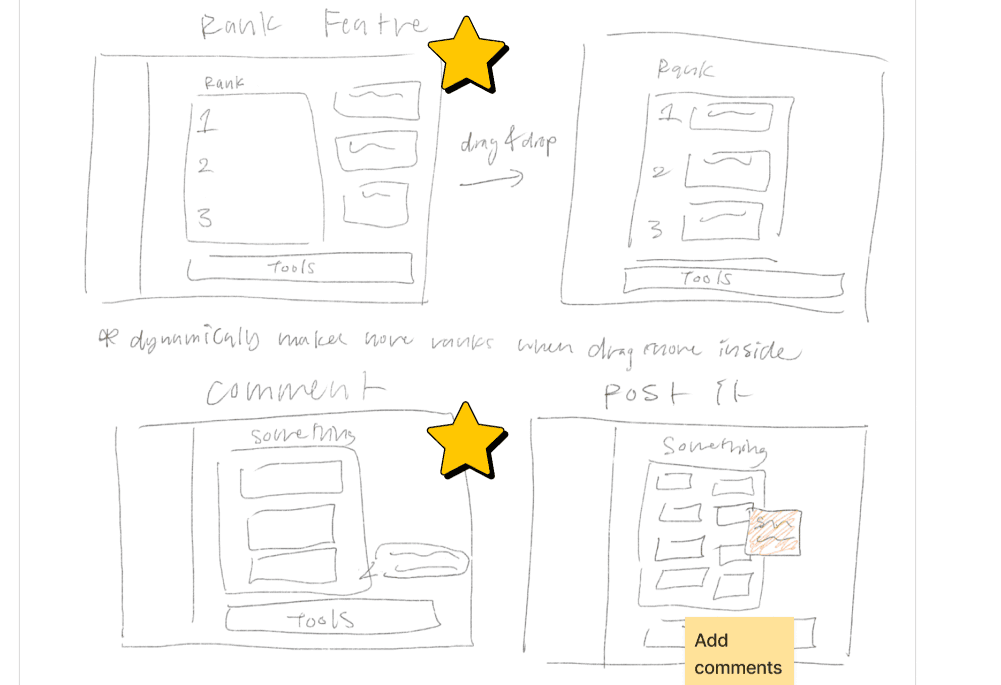
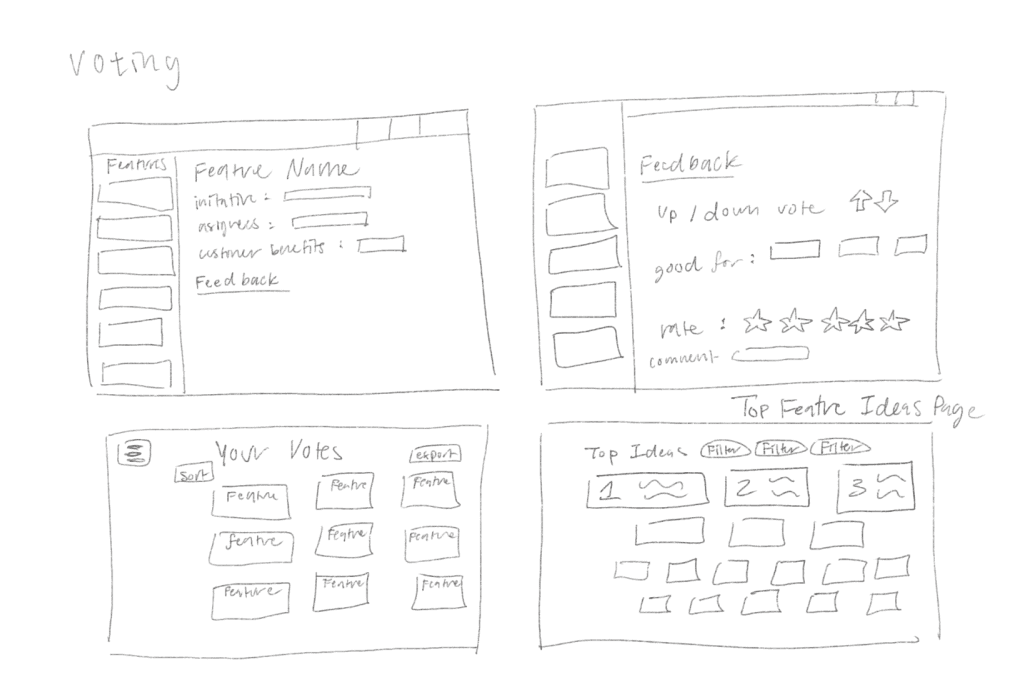
Exploring Ideas for this Iteration with sketches
We created a Rating + Commenting mechanism to 1) serve as a way for freeform idea evaluation at the personal level and 2) to funnel into an AI system that will aggregate all PMs feedback on feature/product ideas to help find the best ideas and display them (“Hot Ideas”). This gives users the freedom to evaluate features through freeform feedback and a rating system to express their opinions. It also helps people see others’ feedback easily— both within the feature idea’s profile and overall opinions within the “Hot Features” page.
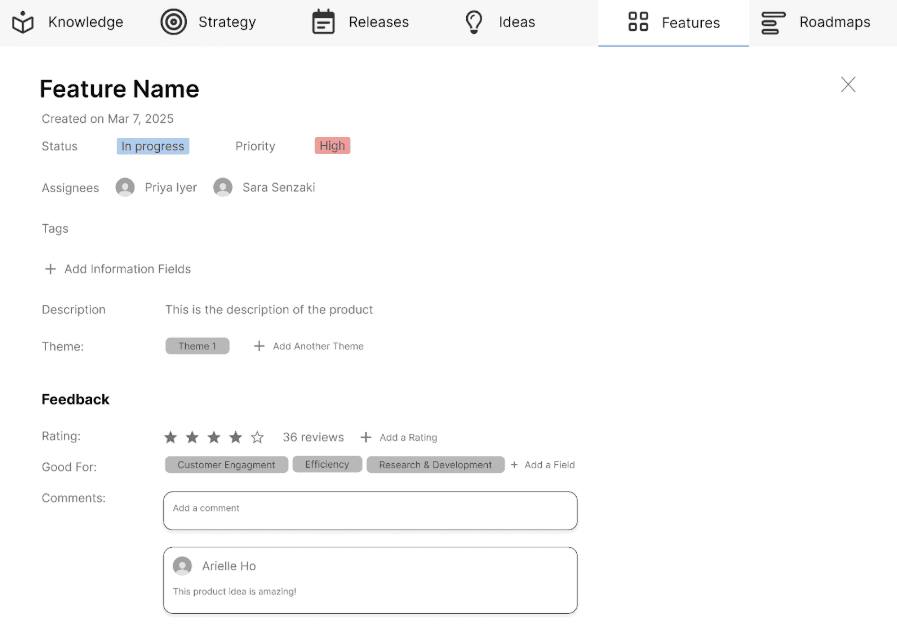
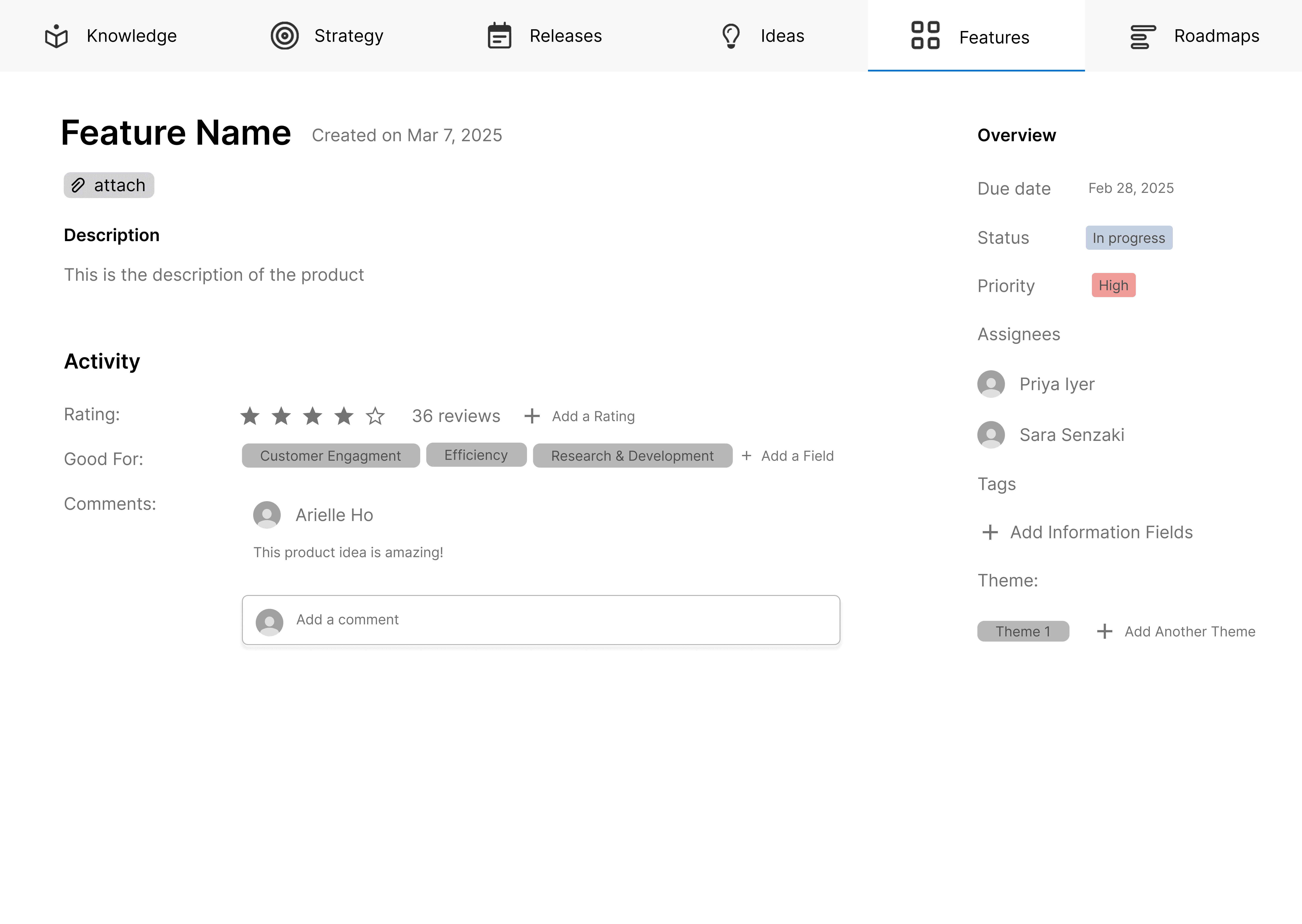
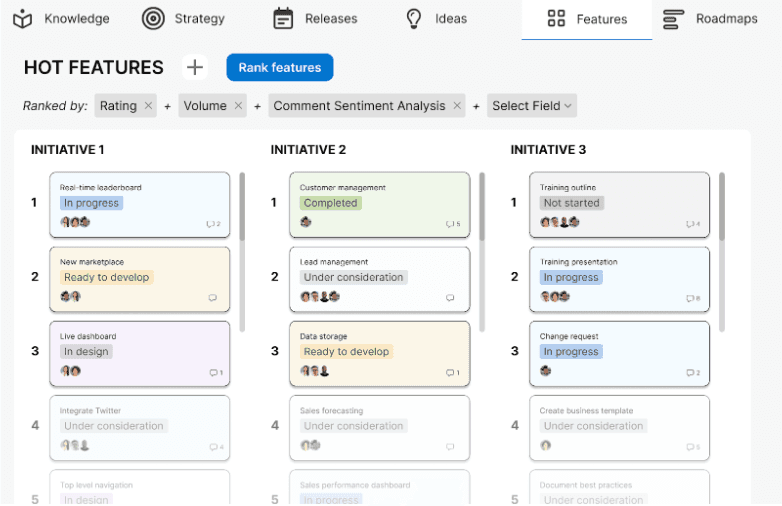
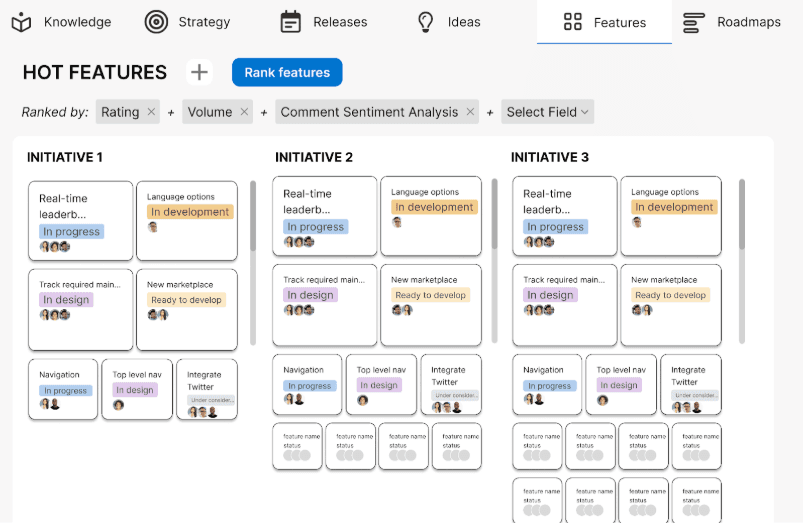
Two Versions of Hot Features Screen - Stacked Columns vs Size Vizualization
We also created an “Ideas Board” as a collaborative brainstorming space with flexible grouping and commenting features, similar to a digital whiteboard. This allows PMs to organize and evaluate ideas on the fly, view how others group and assess ideas, and easily leave feedback on others' evaluations. It helps with dynamic grouping, efficiently managing large volumes of feature ideas, and quickly accessing others' feedback.

Prototyped interaction with the Ideas Board
User Testing Round 2: Hot Features was Hot amongst PMs! White boards made PMs Bored…
We conducted a second round of user testing with our stakeholder MH and another product manager, PM TI. Again, using A/B testing to identify which design and layout resonates best with users based on real interactions. Our key insights are below:
The “Ideas board” didn’t resonate with either PM MH or PM TI as they found it unnecessary, however, they saw potential within the “Hot Features” screen and “Feature create/edit” screens.
Create/Edit Feature: On the ‘create/edit a feature’ interface, PM MH stated that our use of ‘Good for’ tags was not effective. The ‘add fields’ was not valuable to his workflow, as he needs to determine the value of the product—not the type of product. The stakeholder also suggested removing redundant features and streamlining the interactions (e.g. remove the ‘add a rating’ interaction and allow users to click on the stars to leave a rating). He also proposed removing certain sections/features he deemed unnecessary in a product manager’s workflow, such as the ‘due date’ and ‘assignees’. In regards to the interface design, he preferred the version with the sidebar, noting that it made better use of the space available.
PM TI also preferred the two column design. She thought having a description and feedback section for products/features in the ideation stage is useful. However, she also mentioned that a key factor she considers for products/features is the customer the product/feature is intended for and what their budget is. She also suggested that the way that people are assigned to the feature should match Jira— with a reporter and optional assignees. Like our first stakeholder, she mentioned that newly created feature ideas should not have a status of “In Progress” or a due date.
Hot Features: Between the two ‘hot feature’ interface designs, our stakeholder preferred the first design, with columns. He noted that it appeared more intuitive and less overwhelming in comparison to the alternative design. However, the main function of adding/grouping ‘hot features’ doesn’t improve his workflow. He described the design as “learnable but not intuitive,” noting that while initiatives serve as groupings, our layout seemed more like a comparison tool between initiatives. He found this approach counterintuitive, as initiatives function more like tags—representing a collection of features aligned with the company’s overarching strategy—rather than an exclusive grouping.
PM MH explained that “Its not so much grouping and ranking them. People may have different ideas of rankings/ratings. Therefore when you come together, what they try to do is combine everyone's ratings together and find agreement.” They need to figure out which ideas need to be left behind, which ideas have strong support, and which ideas may need further discussion. Instead of focusing on grouping and ranking, he emphasized the need to find alignment among diverse ideas and ratings. When collaborating, teams aim to merge individual ratings and reach a consensus, highlighting the importance of defining these criteria clearly. However, Aha!, and its competitors, completely lack in this aspect.
PM MH described a concrete example of using Excel for group idea evaluation. The PMs had to evaluate 50-60 ideas. PM 1 cherry picked ideas, PM 2 assigned a category for each idea and chose the most important categories, while PM 3 gave a rating for each feature according to feasibility, strategic alignment, and monetization and stack ranked everything. They needed to merge the excel sheets they individually created together and create an evaluation mechanism to find out which features and identify features they agreed and diverged on, which he said took 4 hours to put together. Even with Excel spreadsheets, each PM still needs to take time for their personal evaluation, take more hours to merge all the opinions, and they still have to find the best ~10 ideas and discuss them, resulting in 2-3 days of more work.
Hot Features: In agreement with our stakeholder, PM TI said that sorting “hot features” by ‘initiatives’ would not be beneficial for her workflow. Between our designs, she preferred the first design with the columns. She thought that the “Hot Features” page would be useful, especially for working with multiple people during the brainstorming stage. She also favored sorting “Hot Features” by level of agreement.
With this in mind, we were compelled to address group product triaging. We needed to go beyond what PMs could achieve by using their workarounds, such as grouping and ranking, as their needs were a step above what could be achieved with Excel.
Final Product
Beyond grouping and ranking features, our design needed to facilitate the group evaluation process— consisting of synthesizing the unique perspectives of PMs and finding alignment on the strongest product/feature ideas. Currently, this process can take days to complete— with each person having to clear their schedule for this process. We hope that this design can help reduce time and allow PMs to evaluate/update ideas as they come in rather than scheduling it in.
Hot Features sorted by agreement
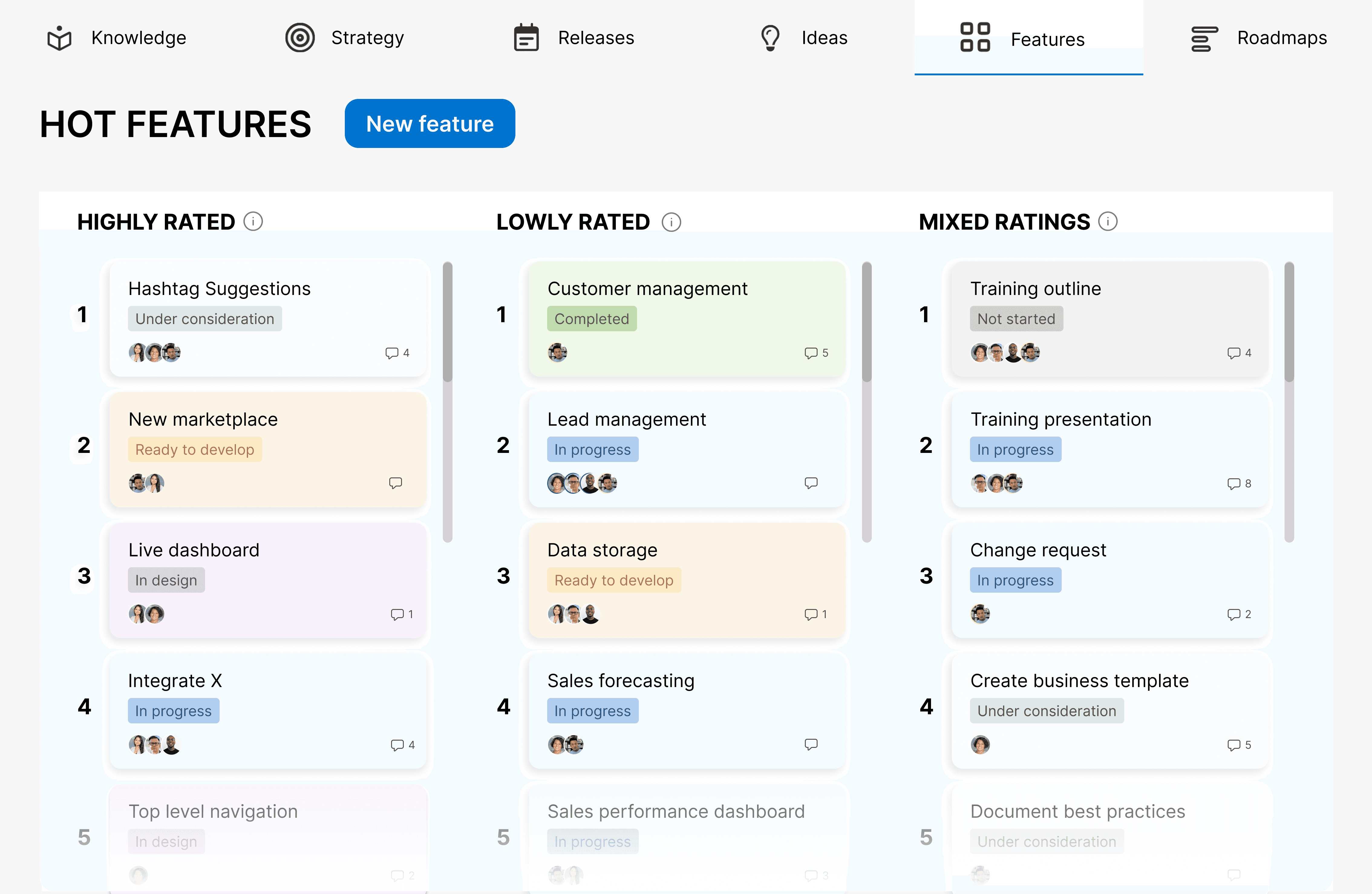
Finalized Hot Features Page, sorted by Agreement Level
Building on the ‘hot feature’ interface, the columns would be sorted by level of agreement instead. Our stakeholder mentioned that one way of sorting could be through listing ‘good ideas that are agreed upon’, ‘bad ideas that are agreed upon’, and ‘ideas that are open for discussion/not agreed upon’. Then, the system (or AI model) can automatically synthesize the ideas/features based on individual ratings for each, and sort them accordingly into their respective columns. This would benefit our stakeholders’ workflow by not only streamlining and automating the process, but also facilitate important discussions that can better guide team members toward alignment. With more effective alignment mechanisms, it could ultimately help companies save time and effectively prioritize ideas to put into production.

Interacting with Page and Explanations of Each Column
Features Page with Ratings
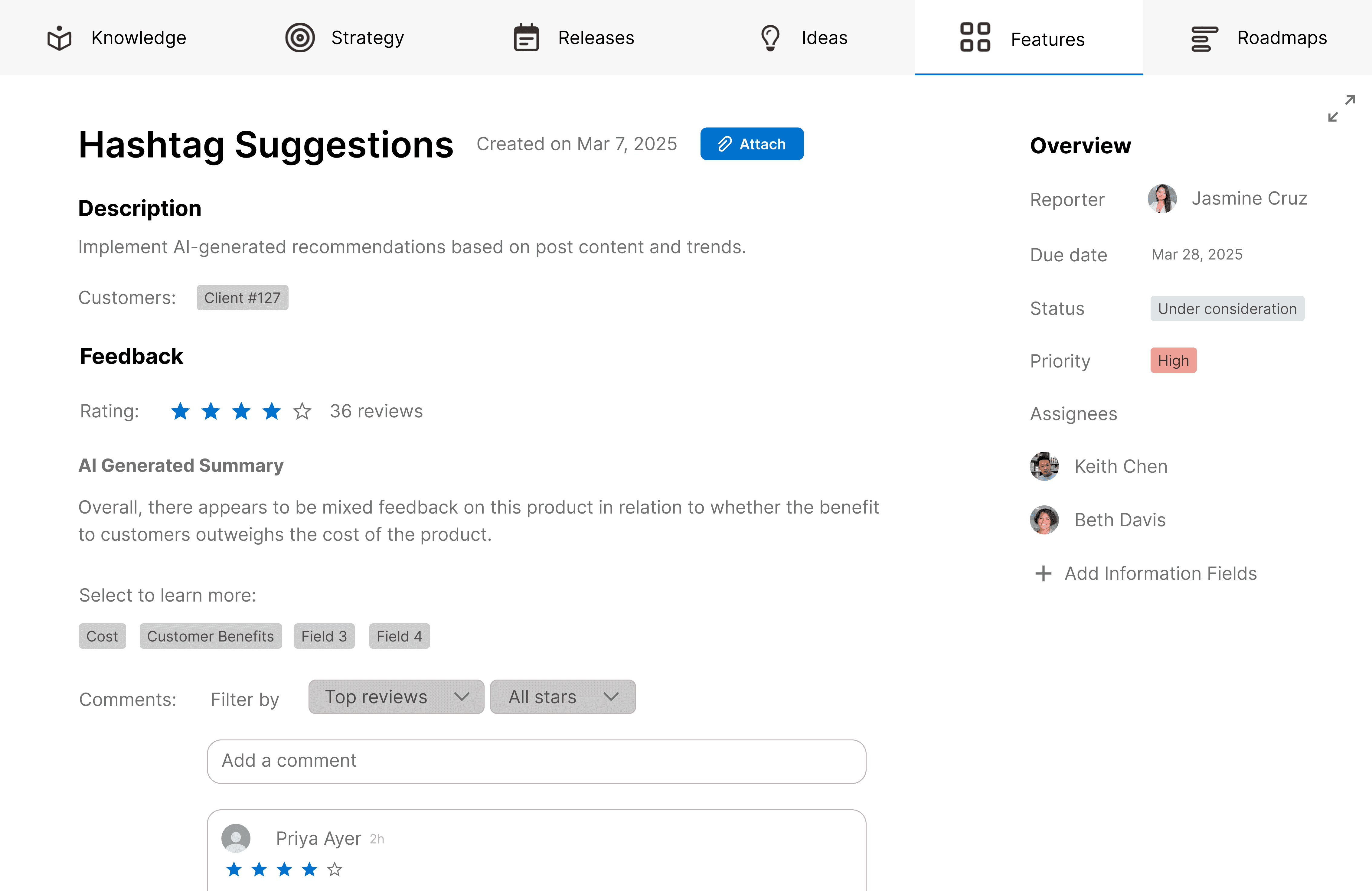
Finalized Feature Profile, Highlighting Description,
Comments, and Potential Customers
As mentioned in our user testing, we incorporated the potential customer as a field within the feature creation process. We replaced the “Good for” tags with “Select to learn more”, which functions as a filter that allows users to find comments that mention specific aspects of the feature idea. Additionally, we added an AI summary of the comments to allow people to quickly learn about what others’ think of the idea.

The Process of Creating a New Feature, with the Intended Customer as a field

Expanding mechanism of Feature Profile on Features Browsing Page
Reflection
What you think is the problem may not always be the actual problem. From our initial interview, I thought this was only an issue with visually overwhelming interfaces and rigid views. As it turned out, there were more aspects to consider within the process of evaluating ideas for an organization, such as facilitating group evaluations and personal evaluation preferences. User testing is extremely important in this regard because potential solutions that don’t quite fit user needs can uncover more aspects of the problem through discussion.
I learned that it’s not useful to reinvent the wheel by creating another version of tools people are already using. In our first low-fidelity designs, we ended up redesigning Aha to have the same capabilities as an Excel spreadsheet. However, we realized we needed to focus on group evaluation, which Excel and other Aha competitors couldn't handle. Understanding existing tools, their strengths, and limitations helps guide the direction of the solution. Therefore, understanding the existing tools, their strengths, and limitations helps identify where problems may be.
Finally I learned that discovery is messy and to embrace change. For this, agility is important. I would rather spend extra effort and pivot to the right course over sticking to half-baked solutions that don’t solve anything. During our evaluation process, it took us over 6 different iterations of ideating, sketching, and designing to land on a solution that solved our stakeholders’ pain points. It is important to resolve interaction and conceptual issues first, making it best to stick to lowfis and engage in rapid iterations instead of creating overly polished screens.
Next Steps
Measuring Success: Success will be measured through A/B testing within organizations, focusing on the effort required to (1) complete personal evaluations and (2) assess multiple feature ideas. This will be done using quantitative methods such as click counts, keystrokes, eye movements, button clicks, and typing, with platforms like GOMS for analysis. Additionally, surveys will be used to measure user satisfaction, alongside other quantitative methods for A/B testing.
Limitations: This project is a school assignment, so the scope and resources are limited.