Streamlining Product Idea Evaluation for Product Managers
Creating a collaborative prioritization system for Aha! that aligns teams and accelerates decision-making
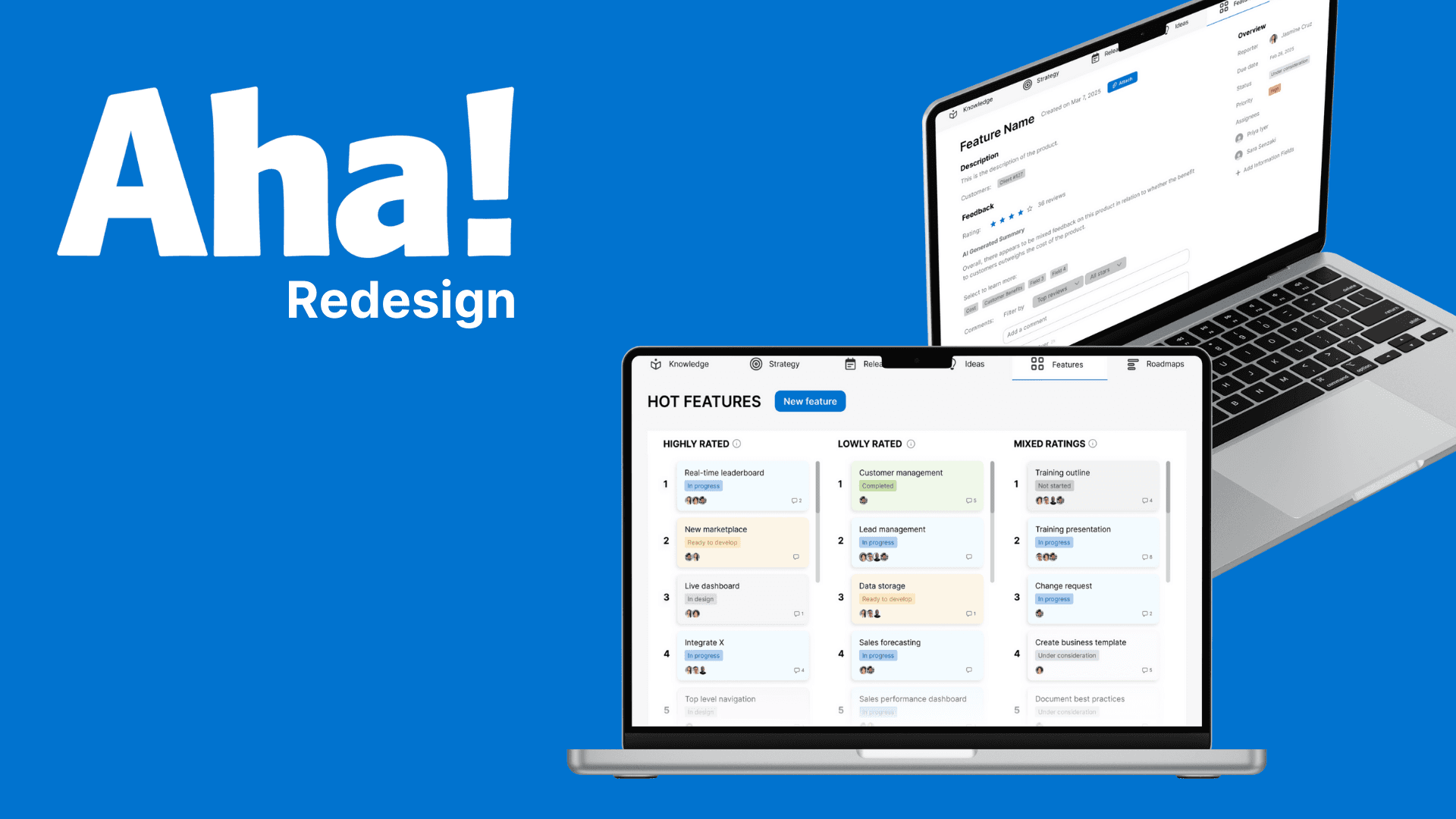
What is Aha?
Aha is a leading product management platform used by over 1 million product managers worldwide, built to help teams organize, prioritize, and ship ideas.
Overview
Product managers at a Global Fortune 500 utility enterprise were responsible for allocating a $10M+ R&D budget across hundreds of competing feature ideas. Despite using Aha! as their primary tool, the ideation phase remained broken— both at the individual and team level.
As a designer on this project, I focused on extending Aha!'s functionality to support the way PMs actually evaluate and align on ideas, reducing a process that took days down to something that could happen continuously.
The Approach: From Workarounds to Alignment
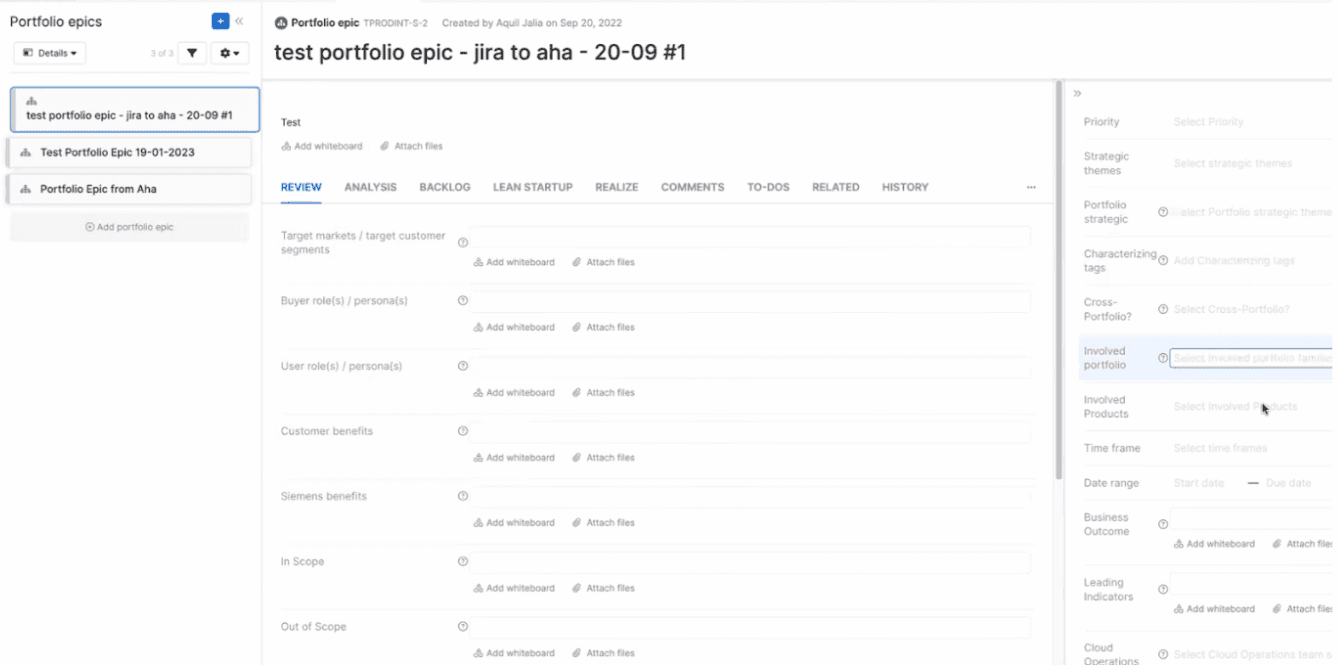
Our initial research — contextual inquiry sessions with Directors of Product Management — uncovered a central theme: PMs felt more like data processors than strategic decision-makers. They were spending hours navigating rigid, text-heavy interfaces and resorting to Excel just to do their jobs. The core issues we identified were:
streamline personal feature evaluation to reduce cognitive overload?
help teams synthesize individual ratings and surface the ideas they agree and disagree on?
Translating PM Needs into a Design Direction
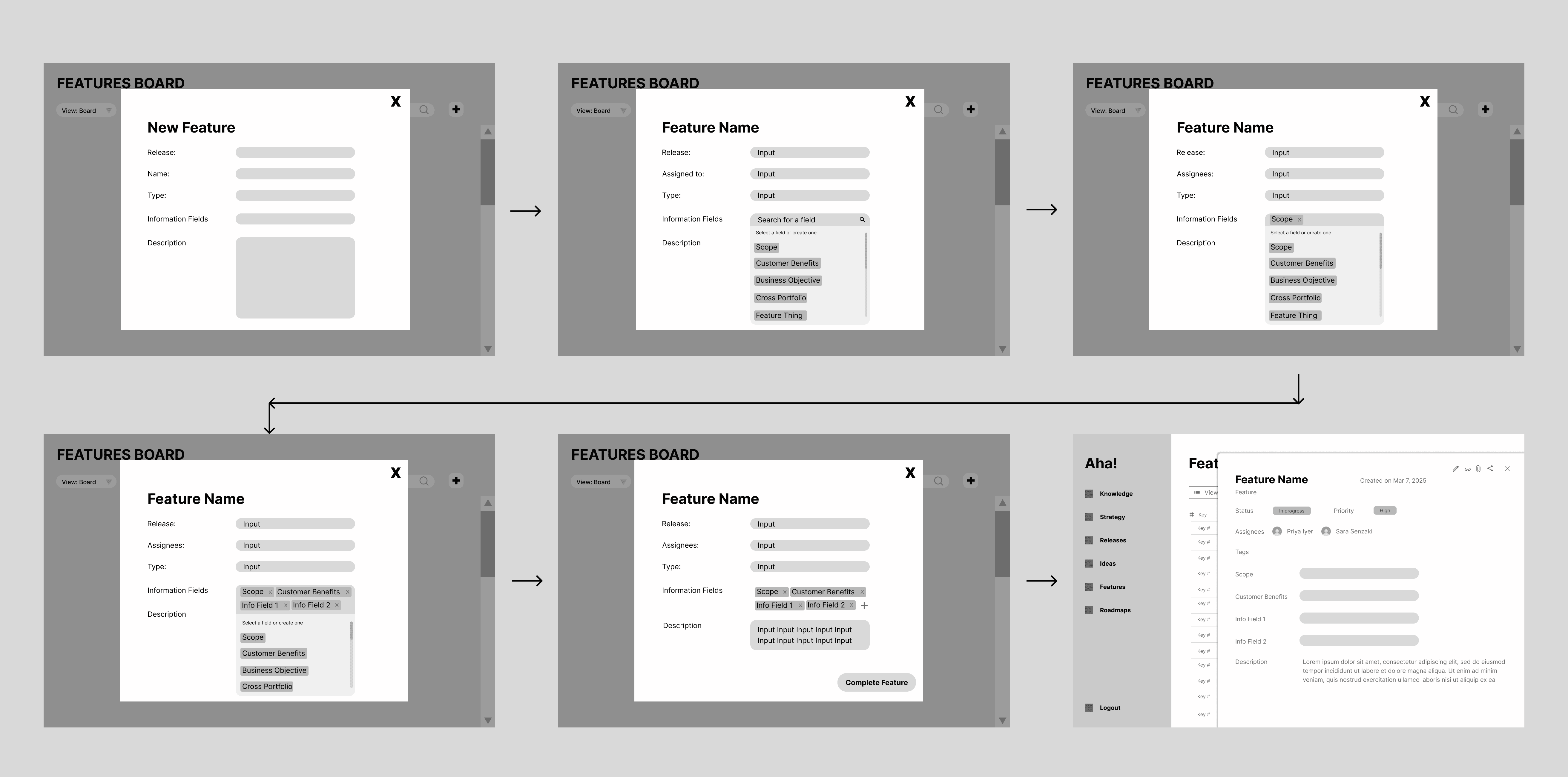
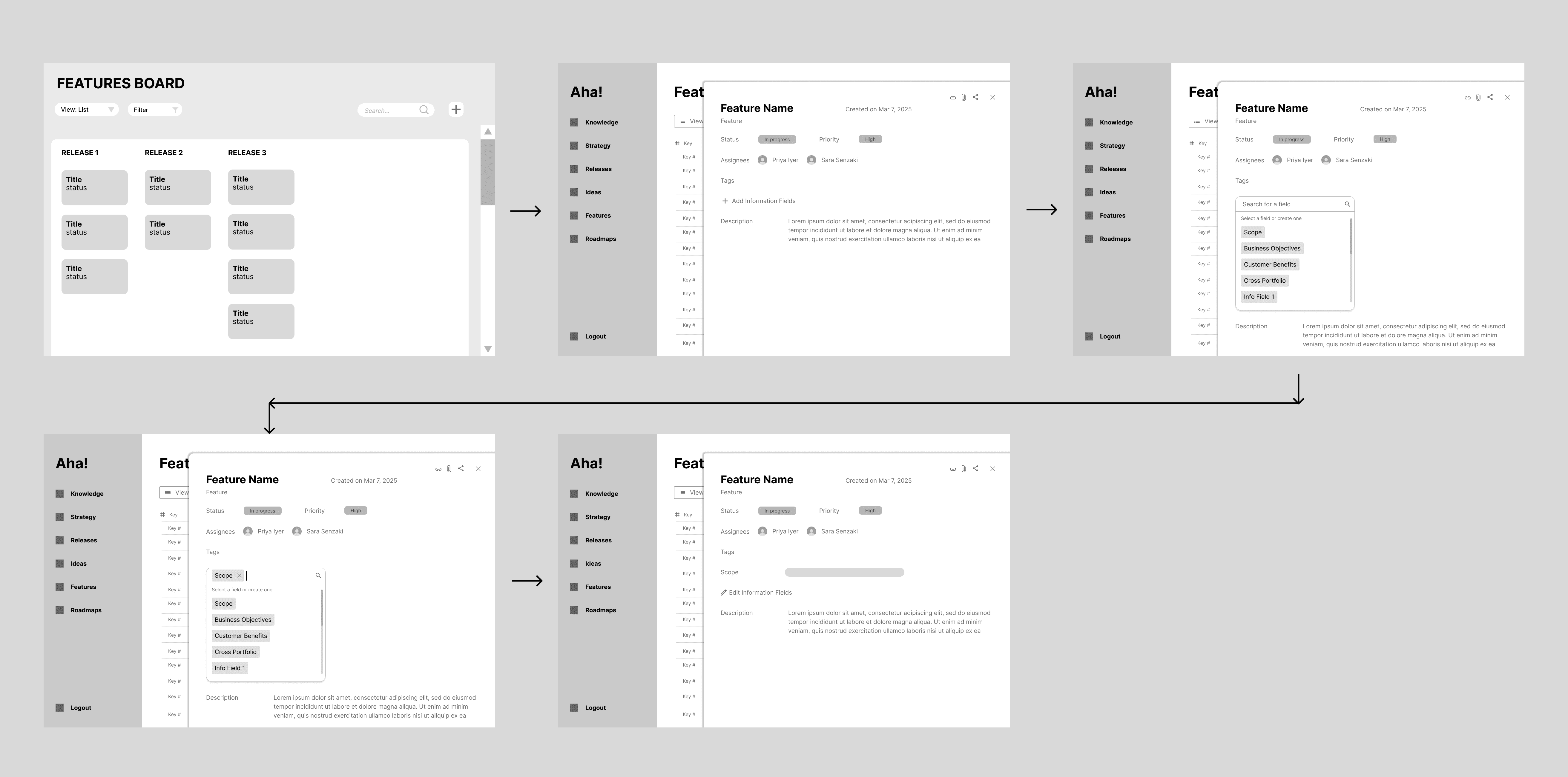
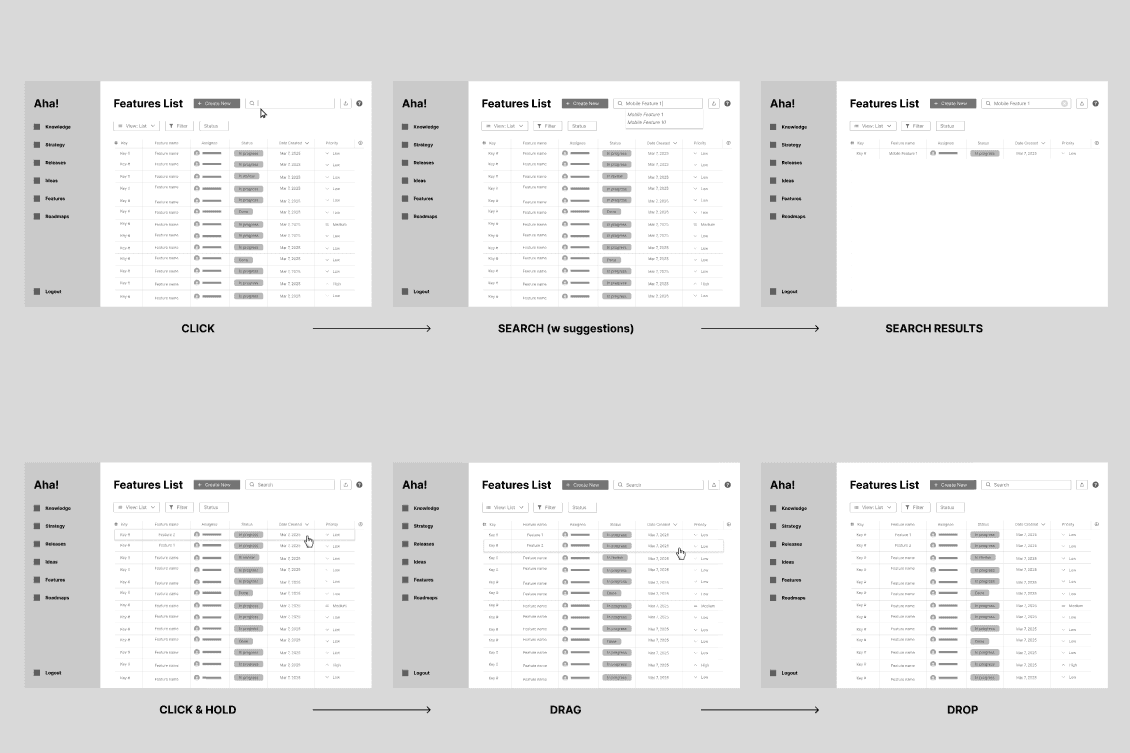
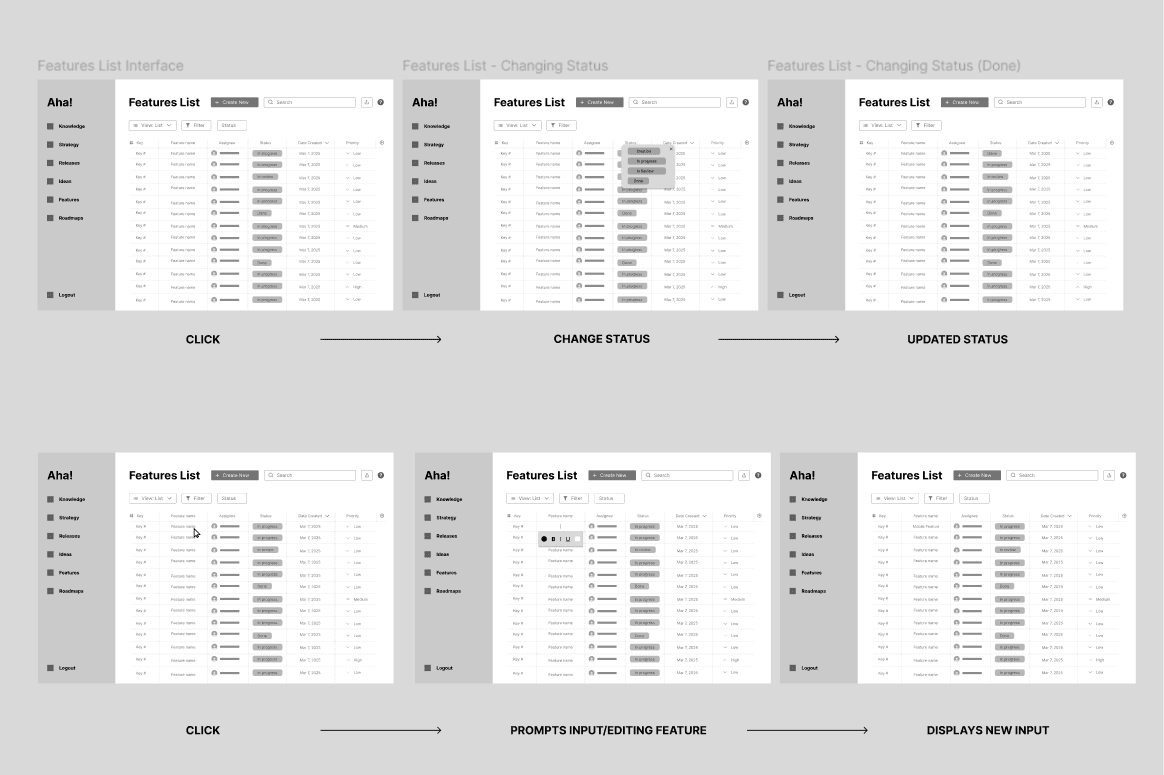
Early low-fidelity testing revealed our initial direction, a more flexible list view, still didn't solve the right problem. One stakeholder put it plainly: "It's no better than Excel." This pushed us to pivot. Instead of improving individual evaluation, we needed to design for group alignment, something Aha! and all its competitors completely lacked.
We reframed our feature buckets around three needs:
Mapping Needs to Features
The design extended Aha! with three systems targeting the two core problems— how PMs evaluate ideas individually, and how teams reach alignment together.
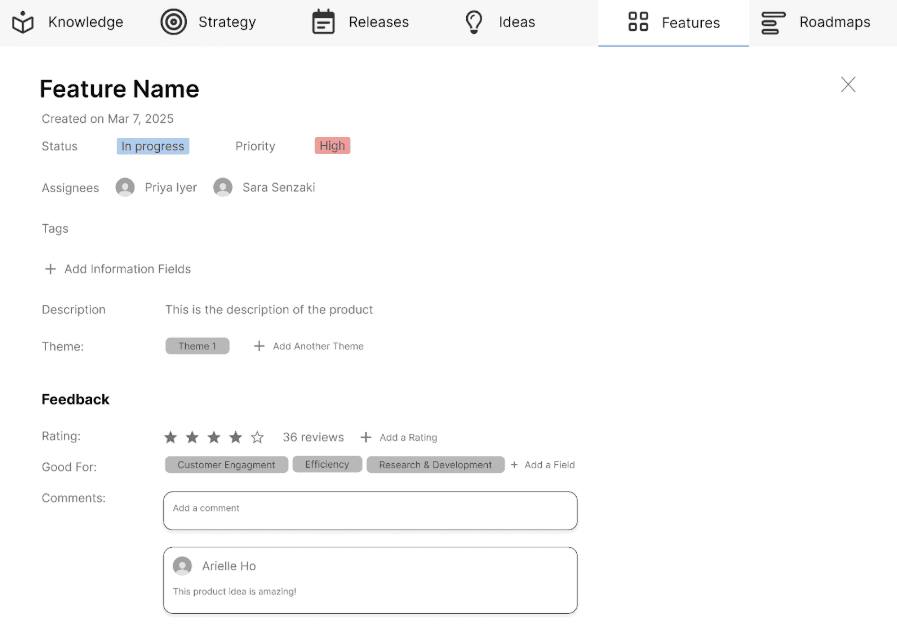
Feature Profile Redesign Replaced Aha!'s wall of unpopulated grey fields with a clean two-column layout showing only what matters: description, feedback, customer target, and a star rating. PMs can evaluate and edit ideas in one place without navigating away or wading through irrelevant fields.
Rating + Commenting System Gives PMs a lightweight, freeform way to evaluate any feature idea individually. Ratings and comments feed into an AI layer that aggregates everyone's input automatically.
Design Debate - Grouping & Ranking vs Alignment by Agreement
Initial Ideas: Grouping vs Aggregating
Our first design, the Ideas Board, allowed users to group, comment their opinions, and rank ideas in a shared collaborative whiteboard environment.
Our second design, Hot Features, featured an aggregated ideas by initiatives, assuming PMs needed a way to compare features within strategic buckets.

Prototyped interaction with the Ideas Board
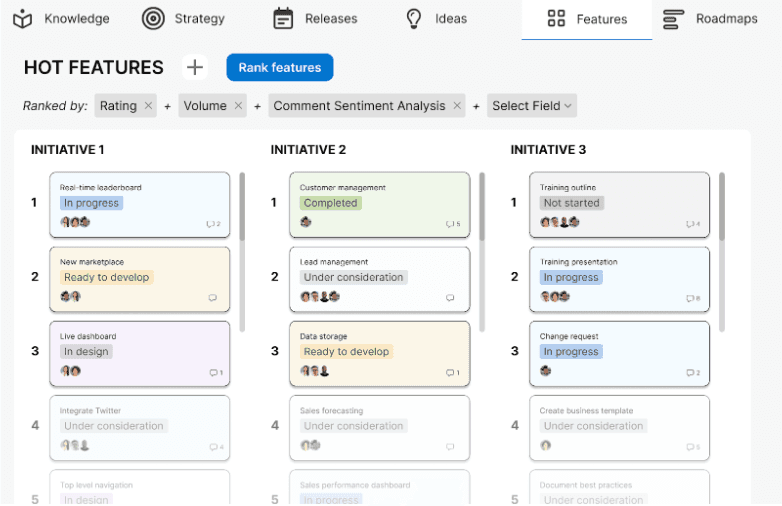
Final Decision: Hot Features Sorted by Agreement
User testing revealed that initiatives function more like tags, not exclusive groups. What PMs actually needed was a way to find where they agreed and where they diverged, not a comparison tool.
Why this approach worked:
Directly addresses the core problem of synthesizing multiple perspectives
Automatically surfaces the ~10 ideas worth discussing without manual merging
Facilitates productive disagreement by making divergence visible, not buried
Final Designs
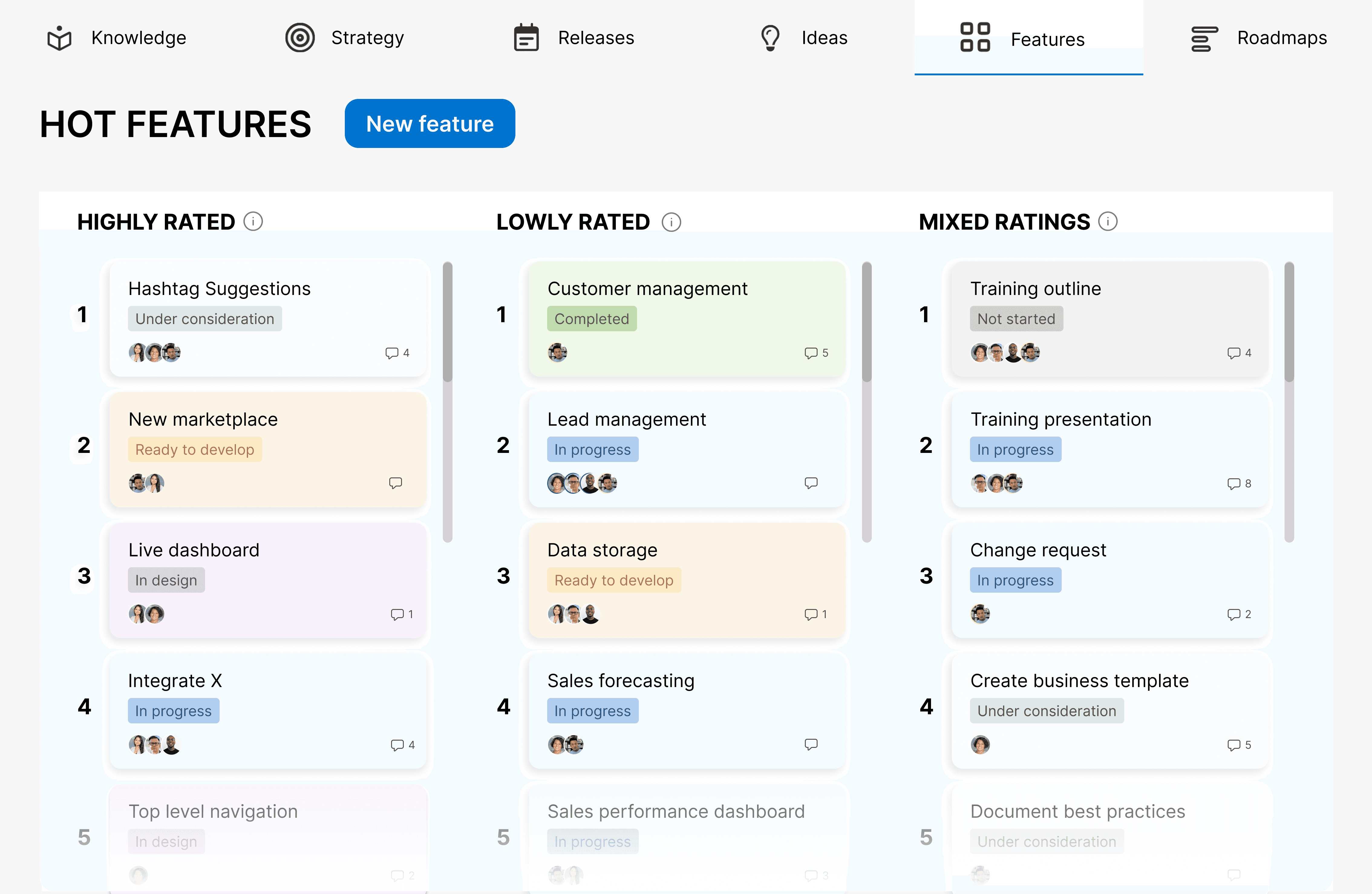
Finalized Hot Features Page, sorted by Agreement Level

Interacting with Page and Explanations of Each Column
Features Page with Ratings
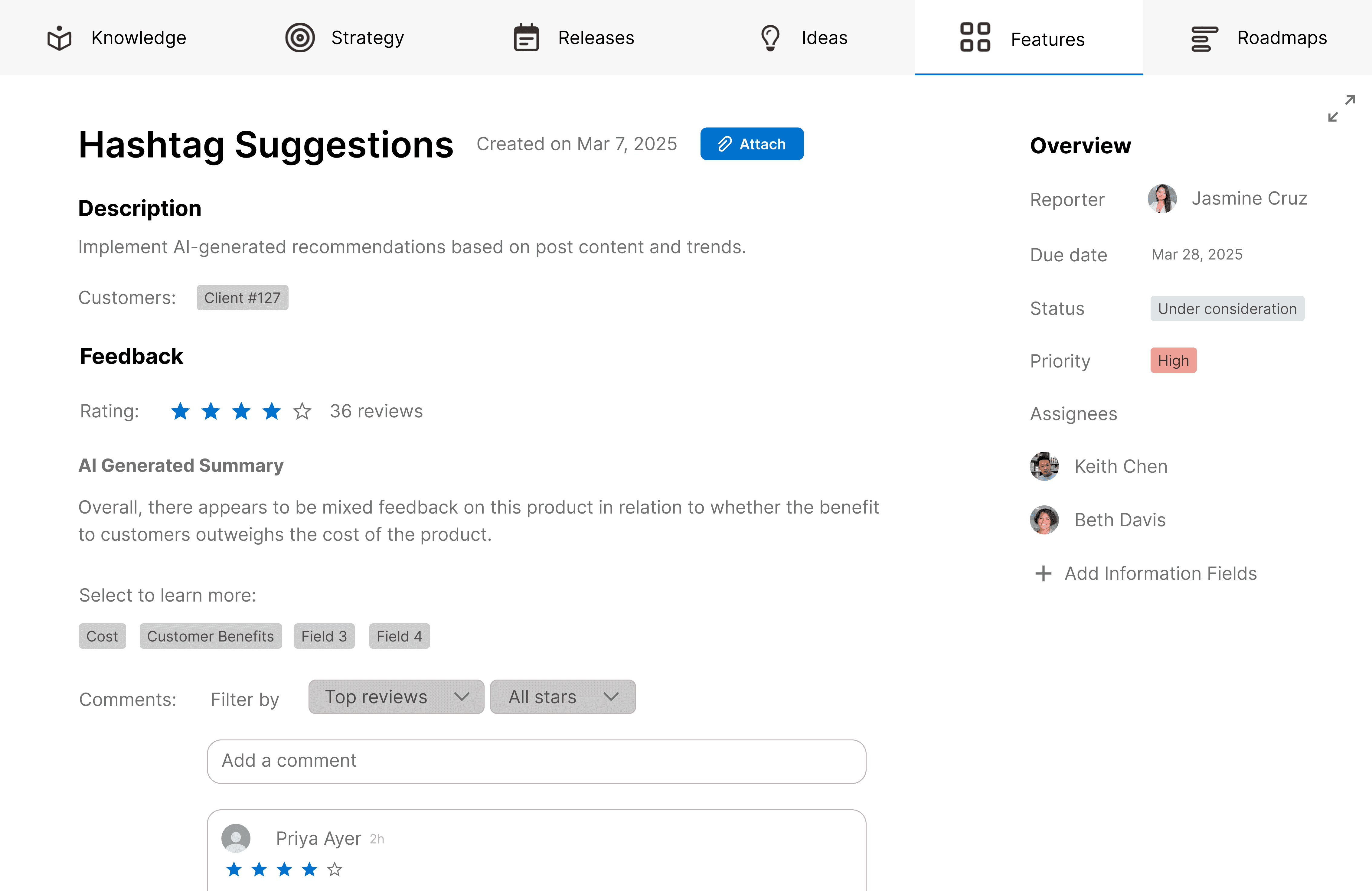
Finalized Feature Profile, Highlighting Description,
Comments, and Potential Customers

The Process of Creating a New Feature, with the Intended Customer as a field

Expanding mechanism of Feature Profile on Features Browsing Page
Takeaways
The problem you see first isn't always the real one.
What started as a visual design issue turned into a collaboration and alignment challenge that no existing tool was solving.
Don't reinvent what already exists.
Our first iteration was essentially a better Excel. The real opportunity was in what Excel couldn't do: group evaluation.
Discovery is messy. Embrace it.
It took 6+ iterations to land on the right solution. Staying in low-fidelity longer and pivoting faster was the right call.